Website Guides
Car Rental Website Malaysia: What Should It Include to Get More Bookings?
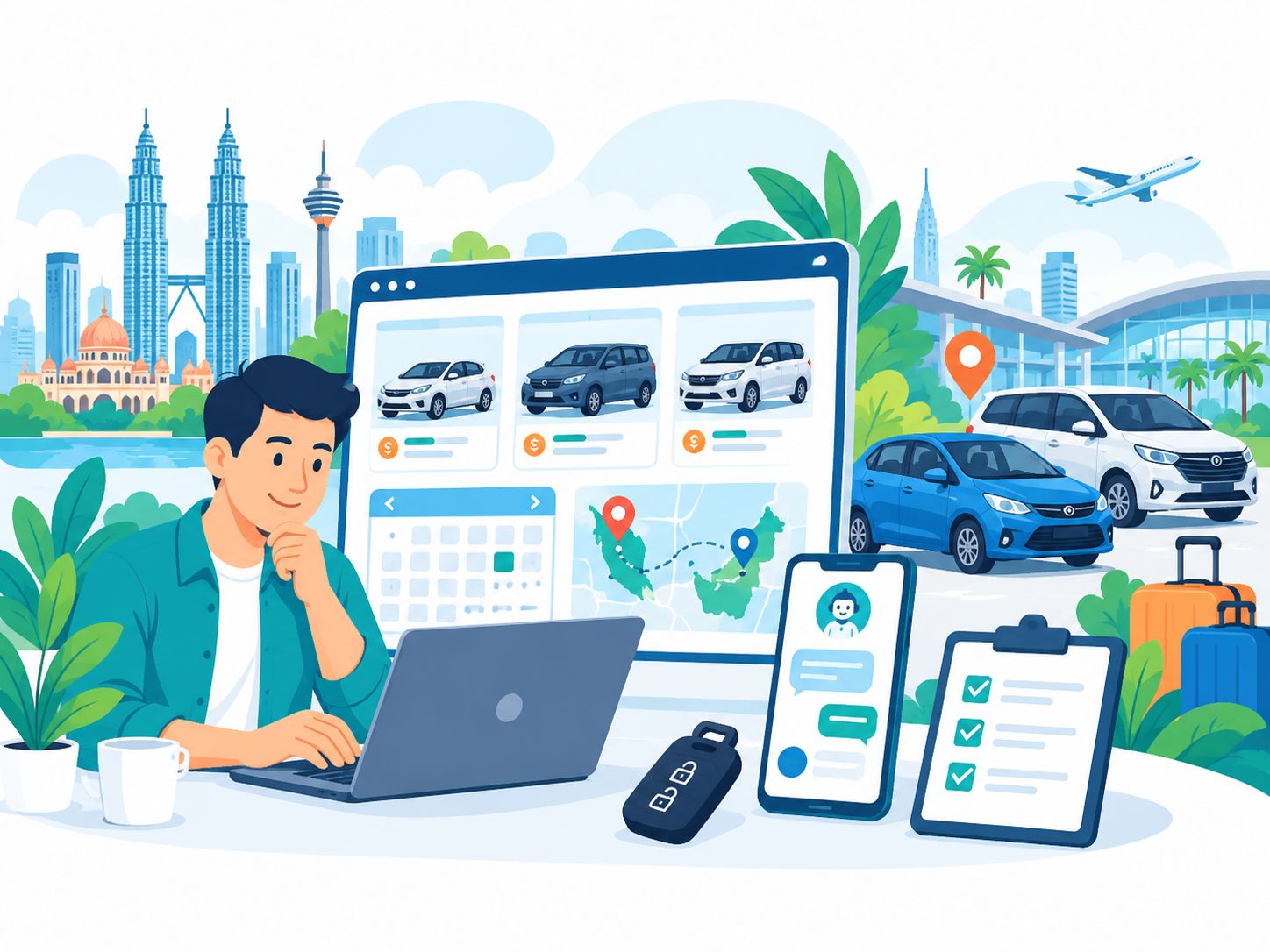
Quick answer: a car rental website in Malaysia should help customers move smoothly from finding a car → comparing vehicles → understanding the price → choosing dates and location → checking availability → making an enquiry or booking.
A website that only shows a few vehicle photos, a phone number and a “Contact Us” message may still be usable.
However, customers usually have more questions:
- Which cars are available?
- How much does each car cost per day?
- How many passengers can it carry?
- Is it automatic or manual?
- Can I collect it at the airport?
- Do you provide delivery?
- Is the vehicle available on my dates?
- How much is the deposit?
- What documents are required?
- What is the fuel policy?
- Can I drive outside the area?
- How do I confirm the booking?
That is why a good car rental website Malaysia should be more than an online brochure.
It should help customers make a decision while also helping the rental operator handle enquiries and bookings more systematically.
This guide explains how a car rental website can be planned for small operators, growing rental businesses and companies that require a more advanced booking system.
Car Rental Websites Have a Different Customer Journey
The customer journey for car rental is usually very specific.
It may look like this:
Google / Maps / Social Media → Website → Location → Dates → Vehicle → Price → Availability → Trust → Booking / WhatsApp → Confirmation
This is different from a typical corporate website.
The customer is not only trying to understand who your company is.
They are trying to answer:
“Which vehicle suits my trip, how much does it cost and can I get it on my dates?”
1. The Homepage Should Explain the Location and Rental Type Quickly
Within the first few seconds, visitors should be able to understand:
- where you provide car rental,
- whether it is self-drive or with a driver,
- which types of vehicles are available,
- whether airport pickup or delivery is available,
- how bookings are made, and
- what they should do next.
For example:
Car Rental Kota Kinabalu — Budget, MPV & Premium Cars with KKIA Delivery
or:
Car Rental Penang — Self-Drive Cars for Airport, Business & Family Trips
Only mention services and locations that the business genuinely provides.
2. Do Not Put the Entire Fleet Inside One Poster
Many operators use one large poster containing:
- 10 vehicle photos,
- model names,
- prices,
- a phone number, and
- WhatsApp.
A poster can be useful for WhatsApp or social media.
However, a website should organise the fleet as structured information that customers can read and compare easily.
For example:
- Perodua Axia
- Perodua Bezza
- Perodua Myvi
- Perodua Alza
- Toyota Innova
- Toyota Vellfire
- Toyota Alphard
- Van
Each vehicle card can show key information before the visitor opens the full details.
3. Use Fleet Categories That Customers Understand
When the fleet becomes larger, categories make it easier for customers to compare options.
Examples include:
- Economy / Budget
- Sedan
- Compact
- MPV
- SUV
- Premium
- Luxury
- Van
Use categories that genuinely match your fleet.
Do not create too many categories until customers become more confused instead of less.
4. Every Vehicle Should Have Enough Information
A vehicle listing should help customers compare their options.
Information worth considering includes:
- Make and model
- Variant where relevant
- Year if you choose to display it
- Number of seats
- Transmission
- Fuel type
- Luggage capacity where known
- Daily rate
- Weekly rate where applicable
- Monthly rate where applicable
- Pickup or delivery options
- Main features
- Real vehicle photos
- Booking CTA
Do not display specifications that you cannot verify.
5. Dedicated Vehicle Pages Can Be Very Useful
For a larger fleet, each vehicle model can have its own dedicated page.
For example:
Perodua Myvi Car Rental
The page may include:
- vehicle photos,
- seating,
- transmission,
- luggage suitability,
- rental rate,
- pickup location,
- availability enquiry,
- basic rental conditions, and
- alternative vehicles.
However, do not create duplicate SEO pages for every colour or individual registration number.
6. Use Real Vehicle Photos
Car-rental customers want to know what kind of vehicle they may actually receive.
Use real photographs wherever possible.
Useful photos can include:
- front view,
- rear view,
- side view,
- interior,
- seating,
- boot or luggage area, and
- dashboard where relevant.
If an image is only a reference image and the actual unit may differ, explain that appropriately.
7. Pricing Should Be Easy to Understand
Price is one of the first things customers compare.
If you have fixed rates, you may display something such as:
RM139 / day
If pricing varies, explain what affects it.
Examples may include:
- weekday versus weekend,
- public holidays,
- school holidays,
- peak season,
- rental duration,
- vehicle category,
- pickup location,
- delivery location, or
- additional services.
Do not leave old prices on the website after the business has stopped offering them.
8. Avoid “From RMXX” Without Enough Explanation
“From RM99/day” can attract attention.
However, customers should understand:
- which model starts at that price,
- whether there is a minimum rental period,
- whether the rate is promotional,
- which dates it applies to, and
- what is not included.
Pricing that is too vague often creates unnecessary WhatsApp enquiries asking the same basic questions.
9. Availability Is One of the Most Important Questions
A customer may like the vehicle, accept the price and be ready to book.
But if the vehicle is not available on their dates, the booking cannot proceed.
A website can handle availability in several different ways.
Option A — WhatsApp Availability Enquiry
This can work well for a small fleet.
The customer selects a vehicle and sends details such as:
- vehicle model,
- pickup date,
- return date,
- pickup location, and
- contact information.
Option B — Availability Request Form
The customer submits the dates and preferred vehicle.
The team then confirms availability manually.
Option C — Live Availability
The system displays vehicles that are genuinely available based on the booking calendar.
This becomes more useful when the fleet and booking volume increase.
10. Not Every Car Rental Business Needs a Full Booking System on Day One
This is particularly important for SMEs.
An operator with 5 to 10 vehicles may not need the same system as a company with 100 vehicles and several branches.
A small business can begin with:
Fleet → Pricing → WhatsApp / Booking Form → Manual Confirmation
Then, when booking volume increases:
Live Availability → Booking → Deposit → Confirmation → Admin Calendar
Build according to the actual operation.
Do not pay for complexity the team does not yet need.
11. The Booking Flow Should Be Short and Clear
For a rental enquiry or booking, customers typically need to provide information such as:
- pickup date,
- pickup time,
- return date,
- return time,
- pickup location,
- return location,
- preferred vehicle,
- name,
- phone or WhatsApp, and
- email where required.
Do not ask for 30 fields at the first step if the team only needs eight fields to check availability.
12. WhatsApp Is Very Practical for Malaysian Car Rental Operators
For small and medium operators, WhatsApp can be an effective bridge between the website and booking confirmation.
Instead of using a generic button such as:
WhatsApp Us
the website can prepare a pre-filled message based on the selected vehicle.
For example:
“Hi, I am interested in renting a Perodua Myvi. Pickup 10 October, return 13 October. Pickup at Penang Airport. Can you check availability?”
This gives the rental team useful context before the conversation starts.
13. Do Not Make the Customer Type the Vehicle Name Again
If the visitor clicks a booking button from the Perodua Alza page, the system already knows which vehicle they are viewing.
The booking form or WhatsApp message can automatically include:
- vehicle name,
- vehicle ID, or
- vehicle page URL.
Reduce unnecessary work for the customer.
14. Airport Rental Deserves Special Attention
For many rental operators, airports are an important source of bookings.
If you genuinely provide airport delivery or pickup, clearly explain:
- which airport is covered,
- pickup arrangements,
- delivery charges where applicable,
- operating hours,
- flight-delay procedure where relevant, and
- how to contact the team.
Examples may include:
- KLIA
- KLIA2
- Penang International Airport
- Kota Kinabalu International Airport
- Langkawi International Airport
Only target airports that the business genuinely serves.
15. Pickup and Drop-Off Locations Should Be Clear
A customer may want to collect the vehicle at:
- an airport,
- a hotel,
- an office,
- a train station,
- a bus terminal,
- a ferry terminal, or
- a specific address.
The website should clearly explain the actual service area.
If delivery is only free within a certain area or radius, state that clearly.
16. Explain One-Way Rental Where It Is Offered
Some operators allow:
Pickup at Location A → Return at Location B.
If this service is available, the website can explain:
- supported locations,
- additional charges where applicable,
- advance-booking requirements, and
- how confirmation works.
Do not create a page for one-way rental if the business does not actually provide it.
17. Explain Which Customer Each Vehicle Suits
Do not only list technical specifications.
Help the customer decide.
Perodua Axia
May suit solo travellers, couples or city driving with light luggage.
Perodua Myvi
May suit small families or general daily rental.
MPV
May suit families or groups that need more seats and luggage space.
Van
May suit larger groups.
Use descriptions that reflect the actual vehicle and avoid exaggerating capacity.
18. Filters Become Useful When the Fleet Is Larger
For a larger fleet, filters can help customers narrow down their choices.
Filters may include:
- price range,
- vehicle type,
- number of seats,
- transmission,
- location,
- availability, or
- premium / budget.
A website with eight vehicles may not need a complex filtering system.
19. Payment and Deposit: Choose a Flow That Matches the Business
Several booking-payment models are possible.
Manual Confirmation
The customer sends an enquiry → the team confirms availability → payment instructions are provided.
Payment Link After Confirmation
The team confirms availability first and then sends a secure payment link.
Online Deposit During Booking
The system accepts the booking and deposit based on the defined booking workflow.
Full Online Payment
The customer completes payment inside the booking flow.
Not every operator needs full online payment.
Choose according to booking volume, operational workflow and the payment provider being used.
20. Do Not Accept Payment Without a Clear Booking Status
The system should distinguish between statuses such as:
- Enquiry
- Pending Availability Check
- Reserved
- Deposit Pending
- Confirmed
- Active Rental
- Completed
- Cancelled
The exact statuses can be adapted to the business.
The purpose is to prevent staff from treating an enquiry as a confirmed booking.
21. Avoid Double Booking
This becomes increasingly important when reservations come through:
- the website,
- WhatsApp,
- phone calls,
- Facebook,
- TikTok,
- walk-ins,
- agents, or
- other marketplaces.
If bookings are stored in several different places, two customers may accidentally be promised the same vehicle.
For a growing business, a central booking calendar or fleet-management system can become valuable.
22. Fleet Status Is More Than Available / Not Available
A more advanced operator may need statuses such as:
- Available
- Reserved
- On Rental
- Cleaning
- Maintenance
- Unavailable
This helps operations as well as the public booking system.
23. The Website and the Back Office Are Different Things
The public website helps customers:
- discover vehicles,
- compare options,
- view prices,
- check availability, and
- book or enquire.
The back office helps staff:
- manage reservations,
- assign vehicles,
- track payments,
- update the fleet,
- manage availability,
- record returns, and
- monitor maintenance.
A small business may only need a public website.
A growing fleet may eventually need both.
24. A CMS Is Very Useful for Managing a Fleet
Do not hardcode every car into the website if the fleet changes regularly.
An admin system can allow the team to:
- add a vehicle,
- edit the price,
- change photographs,
- change availability status,
- edit specifications,
- mark a vehicle as sold or removed, and
- create a new category.
This becomes more practical as the fleet grows.
25. Recommended Vehicle CMS Fields
A vehicle record may contain fields such as:
- Vehicle name
- Slug
- Category
- Featured image
- Gallery
- Daily rate
- Weekly rate
- Monthly rate
- Seats
- Transmission
- Fuel
- Luggage
- Location
- Description
- Status
- SEO title
- Meta description
Only include fields the business actually uses.
26. Rental Policies Should Be Easy to Find
Customers may want to know about areas such as:
- minimum rental period,
- deposit policy,
- fuel policy,
- late returns,
- cancellation,
- extensions,
- delivery charges,
- outstation usage,
- vehicle replacement procedures, and
- accident or breakdown procedures.
Policies must come from the actual business.
A web designer should not invent rental terms on behalf of the operator.
27. Explain Which Documents Are Required
If your business has document requirements, explain them before the customer books.
For example, according to your actual policy:
- driving licence,
- identity document,
- passport for certain renters, or
- additional verification.
Do not copy generic rental requirements if they do not match your actual rental process.
If customers need to send sensitive documents online, use an appropriate secure process and suitable privacy controls.
28. Privacy Is Important When Collecting Customer Data
A booking process may collect:
- name,
- phone number,
- email,
- address,
- identity information,
- driving-related documents,
- payment information, and
- travel dates.
Do not request information that is unnecessary during the initial enquiry.
The website should handle privacy appropriately based on the information actually collected.
29. Reviews Help Customers Who Do Not Already Know Your Business
Car rental requires trust.
Customers want to know whether:
- the vehicles genuinely exist,
- the cars are properly maintained,
- pickup happens as promised,
- the team is responsive, and
- the business is legitimate.
Real customer reviews can help when displayed accurately.
You may consider:
- Google reviews,
- verified testimonials,
- customer photos with permission, or
- links to review profiles.
Do not create fake reviews.
30. Google Business Profile Is Important for Local Car Rental Businesses
Car rental often has strong local search intent.
Customers may search for:
- kereta sewa Kota Kinabalu,
- car rental Penang Airport,
- kereta sewa KLIA,
- car rental Langkawi,
- car rental near me, or
- van rental Johor Bahru.
If the business is eligible for a Google Business Profile, make sure information such as:
- business name,
- phone number,
- website,
- address or service area,
- operating hours,
- photos, and
- reviews
remains accurate and current.
31. Location Pages Can Support Local SEO
If the business genuinely operates in several locations, dedicated pages may be useful.
For example:
- Car Rental Kota Kinabalu
- KKIA Car Rental
- Car Rental Penang
- Penang Airport Car Rental
However, every location page should contain genuine information.
It may explain:
- pickup point,
- delivery area,
- available vehicles,
- operating process,
- nearby areas served, and
- location-specific FAQs.
32. Do Not Create 50 Fake City Pages
Avoid strategies such as:
Car Rental Penang → Car Rental Ipoh → Car Rental KL → Car Rental Johor → Car Rental Melaka
when the business only genuinely operates in one city.
Location SEO should follow real service coverage.
33. Airport Pages Can Be High-Intent Pages
Airport rental customers often have specific needs, including:
- arrival date,
- arrival time,
- flight information,
- number of passengers,
- luggage,
- vehicle category, and
- return schedule.
If airport business is genuinely important to the operator, a dedicated airport page can explain this process clearly.
34. Do Not Forget Google Maps
If customers need to visit an office or pickup point, a map can be very useful.
Show:
- the actual location,
- directions,
- parking or meeting information where relevant, and
- a nearby landmark.
If the business operates using delivery and does not have a customer-facing office, do not create the false impression of a storefront.
35. Mobile Experience Is Extremely Important
A car-rental customer may be searching while:
- just arriving at the airport,
- travelling,
- staying at a hotel,
- comparing rental prices, or
- following a recommendation sent through WhatsApp.
On mobile, make sure:
- vehicle cards are easy to read,
- prices are clear,
- buttons are large enough,
- date fields are easy to use,
- WhatsApp is easy to access,
- forms are short,
- galleries are easy to swipe, and
- the booking process does not require zooming.
36. Do Not Let Vehicle Images Make the Website Too Heavy
A fleet website can contain many images.
If every image is several megabytes, performance will suffer.
Use:
- appropriate image dimensions,
- modern image formats where suitable,
- compression,
- responsive images, and
- lazy loading where appropriate.
Make sure optimisation does not make the vehicle images excessively blurry.
37. SEO for Car Rental Websites in Malaysia
Car rental SEO can involve several types of search intent.
Commercial / Local
- kereta sewa Kota Kinabalu
- car rental Penang
- kereta sewa KLIA
- car rental Langkawi
Vehicle Specific
- Myvi rental
- Alphard rental
- van rental
- 7 seater car rental
Travel Need
- airport car rental
- monthly car rental
- family car rental
- self drive car rental
Target only keywords that match the actual business.
38. Do Not Target Keywords Only Because They Have High Search Volume
If the operator only serves Sabah, ranking for:
“car rental Johor Bahru”
does not create meaningful business value.
It is better to attract targeted searches such as:
“car rental Kota Kinabalu airport”
if that genuinely matches the service offered.
39. Vehicle Pages and Location Pages Have Different Search Intent
For example:
Car Rental Kota Kinabalu
is primarily location intent.
Toyota Alphard Rental Kota Kinabalu
is vehicle + location intent.
The website architecture can connect both without creating duplicate content.
40. Content Marketing Can Reach Customers Before They Are Ready to Book
A blog is not mandatory.
However, useful articles can help customers while they are still planning their trip.
Examples include:
- Which Car Is Suitable for a Family Trip in Sabah?
- Car Rental at KKIA: What to Prepare Before Arrival
- Myvi vs Alza for a Family Holiday
- Driving Around Kota Kinabalu: Car Rental Guide
- How Many Seats Do You Need for an Airport Transfer?
- Weekly vs Daily Car Rental: Which Is More Suitable?
The content should genuinely help renters instead of simply repeating keywords.
41. FAQs Can Reduce Repetitive WhatsApp Questions
Car-rental teams often receive the same questions every day.
An FAQ can answer:
- Which documents are required?
- What is the minimum rental period?
- Is there a deposit?
- What is the fuel policy?
- Can I pick up the vehicle at the airport?
- Can you deliver to my hotel?
- Can I extend the rental?
- What happens if I return the car late?
- Can I drive outside the state?
- What should I do if the vehicle breaks down?
- Is a replacement vehicle available?
Answers must follow the operator's actual policies.
42. A Multilingual Website Can Be Useful in Tourism-Heavy Locations
Operators in destinations such as:
- Kuala Lumpur,
- Penang,
- Langkawi,
- Kota Kinabalu, or
- Johor Bahru
may receive customers from several countries.
The website may use:
- Bahasa Malaysia,
- English,
- Chinese, or
- other languages based on the actual customer base.
Do not create language versions the team cannot maintain or review properly.
43. Use Clear CTAs Based on the Customer's Stage
A generic CTA such as:
Contact Us
can often be replaced by a more specific action such as:
- Check Availability
- Book This Car
- WhatsApp to Confirm
- Ask About This Vehicle
- View Available Cars
- Request Airport Delivery
- Get a Rental Quote
Use CTA wording that matches the actual booking process.
44. Analytics Should Measure Booking Actions
Do not measure website success using page views alone.
Meaningful actions may include:
- WhatsApp clicks,
- phone clicks,
- availability-form submissions,
- booking starts,
- booking completions,
- vehicle-page views,
- airport-page visits,
- payment completions, and
- map or directions clicks.
This data can help the operator understand how customers use the website.
45. A Car Rental Website Should Be Easy to Update
Fleet information changes.
Prices change.
Vehicles may be:
- added,
- sold,
- sent for maintenance,
- made unavailable, or
- moved to another location.
If every change requires a developer to manually edit source code, the website may become difficult to manage.
A CMS or admin panel can be valuable for operators with an active fleet.
46. A Car Rental Website Is Not Necessarily the Same as a Fleet Management System
A website may only need to:
- show the fleet,
- show prices,
- capture rental dates,
- send WhatsApp enquiries, and
- show locations.
A fleet-management system may go further with:
- vehicle assignment,
- booking calendar,
- contracts,
- payments,
- maintenance tracking,
- staff access,
- customer records, and
- reports.
Make sure the website quotation clearly explains what is included.
47. Nibong Web Studio Project Example: Datu Rent A Car
Nibong Web Studio has experience building websites in the car-rental sector.
One portfolio project is Datu Rent A Car in Kota Kinabalu, Sabah.
The website demonstrates a practical approach for a rental operator using WhatsApp as the main booking channel.
Some of the elements used include:
- clear Kota Kinabalu positioning,
- airport delivery information,
- vehicle categories,
- real fleet listings,
- daily pricing,
- seat, transmission and fuel information,
- individual WhatsApp booking buttons,
- customer gallery,
- testimonials,
- FAQ,
- contact information, and
- location details.
This example also demonstrates an important principle:
A small car-rental business does not necessarily need a complex real-time booking platform to have a useful website.
The website can begin with strong fleet presentation + pricing + WhatsApp booking.
The system can then be expanded when operational requirements grow.
48. Common Car Rental Website Mistakes in Malaysia
1. The Entire Fleet Exists Only as a Poster
Customers find it difficult to compare vehicles and search engines have limited structured information to understand.
2. No Pricing
Customers have to WhatsApp simply to ask for a basic daily rate.
3. Prices Are Outdated
The website displays rates that staff no longer offer.
4. No Availability Flow
Customers do not know whether they should call, WhatsApp or submit a booking form.
5. Generic WhatsApp Button
The team receives only “Hi” without knowing which vehicle or dates the customer means.
6. Only Stock Photos
Customers cannot see the actual fleet.
7. No Location Information
Customers do not understand the pickup area or service coverage.
8. Fake City Pages
The website targets locations the business does not serve.
9. Poor Mobile Booking Experience
Date pickers or forms are difficult to use on a phone.
10. The Website Is Too Heavy
Large vehicle photographs cause slow loading.
11. Every Booking Exists Only in Chat
As volume increases, the team can lose visibility of overall availability.
12. No Rental Policies
Customers only discover important terms after paying.
13. No FAQ
Staff answer the same questions repeatedly.
14. No Tracking
The operator does not know how many enquiries came from the website.
15. Building a Complex System Too Early
The business pays for functionality the fleet does not yet need.
49. Car Rental Website Malaysia Checklist
Business Information
- ☐ Business name
- ☐ Main location
- ☐ Areas served
- ☐ Airport coverage
- ☐ Phone
- ☐ Operating hours
Fleet
- ☐ Vehicle categories
- ☐ Individual vehicle listings
- ☐ Real photos
- ☐ Seats
- ☐ Transmission
- ☐ Fuel
- ☐ Relevant vehicle details
Pricing
- ☐ Daily price
- ☐ Weekly or monthly pricing if offered
- ☐ Peak-season explanation where relevant
- ☐ Delivery charges where relevant
- ☐ Deposit information according to actual policy
Booking
- ☐ Pickup date
- ☐ Return date
- ☐ Pickup location
- ☐ Vehicle selection
- ☐ WhatsApp or booking form
- ☐ Availability process
- ☐ Confirmation process
Trust
- ☐ Real business information
- ☐ Real customer reviews
- ☐ Customer photos where permitted
- ☐ Contact details
- ☐ Maps/location
- ☐ Rental policies
- ☐ FAQ
SEO
- ☐ Local keyword targeting
- ☐ Useful vehicle pages
- ☐ Genuine location pages
- ☐ Airport pages where relevant
- ☐ Unique metadata
- ☐ Logical headings
- ☐ Sitemap
- ☐ Canonicals
- ☐ Mobile-friendly
- ☐ Fast-loading images
Management
- ☐ Vehicle information can be updated
- ☐ Prices can be updated
- ☐ Vehicles can be removed or marked unavailable
- ☐ Booking information can be reviewed
- ☐ Appropriate staff access
50. What Should You Prepare Before Building a Car Rental Website?
Before the developer starts, prepare:
- business name,
- logo,
- brand colours,
- business description,
- locations served,
- airport coverage,
- fleet list,
- vehicle specifications,
- vehicle photos,
- current pricing,
- rental policies,
- pickup and delivery policies,
- deposit process,
- booking workflow,
- payment process,
- WhatsApp number,
- customer reviews,
- FAQs, and
- Google Maps or business location.
The more complete this information is, the more accurately the developer can plan the website.
51. Standard Website or Custom Booking System?
Use the actual business requirement as the guide.
| Requirement | Possible Approach |
|---|---|
| Show 5–15 cars + WhatsApp booking | Standard website / CMS |
| Customer submits dates for manual confirmation | Booking enquiry form |
| Show live vehicle availability | Booking/calendar integration |
| Accept deposit online | Payment integration |
| Prevent double booking automatically | Central reservation system |
| Track vehicle status and maintenance | Fleet management system |
| Multiple branches | Multi-location booking architecture |
Do not assume every feature needs to be built in Phase 1.
52. How Can Nibong Web Studio Help?
Nibong Web Studio can help car-rental businesses plan a website based on the actual fleet, location and booking workflow.
The website can be planned around requirements such as:
- car-rental landing page,
- multi-page car rental website,
- fleet listings,
- vehicle-detail pages,
- pricing presentation,
- WhatsApp booking,
- availability enquiries,
- airport and location pages,
- Local SEO structure,
- Google Maps integration,
- blog / SEO content,
- CMS or admin management,
- booking-system integration,
- payment integration where required,
- analytics, and
- ongoing website maintenance.
For a small operator, the scope can remain simple.
For a growing fleet, the website can be planned so that additional functionality can be added later.
The objective is not to build the most complicated system.
The objective is to create a customer journey that matches the way the business actually receives and manages bookings.
Frequently Asked Questions About Car Rental Websites in Malaysia
Does a car rental business need a website?
Not every operator needs a complex platform, but a website can organise fleet information, pricing, locations, rental details, reviews and booking options in one place that is easy to share and discover through search.
Can I use only Facebook and WhatsApp?
Yes, but a website gives the business a more organised place to show the fleet, pricing, FAQs, locations and booking information without requiring customers to scroll through old social-media posts.
Does a car rental website need online booking?
Not necessarily. A small operator can begin with WhatsApp or a booking enquiry form. A live booking system becomes more useful as fleet size and booking volume increase.
Should the website show prices?
If the business has published rates, showing them can help customers compare options. If pricing varies according to date, season or rental duration, explain those factors clearly.
Does every vehicle need its own page?
No. For a small fleet, vehicle cards on one fleet page may be enough. Dedicated pages become more useful when more detailed information is needed or a vehicle model has its own search demand.
Can I update the fleet myself?
Yes, if the website includes a CMS or admin system. The team can be given the ability to add, edit or remove vehicles without manually changing source code.
How can a website prevent double booking?
For larger operations, the website can connect to a central availability calendar or reservation system so vehicle assignment and booking status are managed in one place.
Is WhatsApp suitable for car rental booking?
Yes, especially for smaller operators. The website can pre-fill the selected vehicle, dates and pickup location so the staff receives a more complete enquiry.
Do I need a payment gateway?
Not necessarily. Some operators confirm availability first and provide payment instructions later. A payment gateway becomes useful when the business wants to collect deposits or payments online through a defined booking workflow.
Is Local SEO important for car rental businesses?
Yes, particularly when customers search by location or airport. Accurate location information, Google Business Profile, Maps, genuine location pages and relevant content can help local visibility.
Should I create a page for every city?
Only for locations the business genuinely serves. Avoid near-duplicate city pages created purely for SEO.
What information is most important on a vehicle listing?
Vehicle name or model, photographs, rate, seats, transmission, relevant specifications, pickup information and a clear booking CTA are among the most useful details.
Should rental policies be displayed?
Yes. Important policies involving deposits, cancellation, late returns, fuel, delivery and other rental conditions should be easy to find and should reflect the business's actual policy.
Should customers upload a driving licence during booking?
It depends on the workflow. Avoid requesting sensitive documents too early where they are not yet needed. If documents must be sent online, use an appropriate secure process.
Can a car rental website be bilingual?
Yes. A Bahasa Malaysia and English website can be useful for Malaysian customers and international travellers, especially in tourism-heavy destinations.
What is the best CTA for a car rental website?
CTAs such as Check Availability, Book This Car, WhatsApp to Confirm or Request a Rental Quote are more specific than generic Contact Us wording, but the CTA should match the actual booking process.
How can a website help car rental SEO?
A website can use a clear fleet structure, genuine location content, airport pages, useful vehicle pages, FAQs, local information and supporting articles that match the search intent of actual rental customers.
How much does a car rental website cost?
The cost depends on scope. A website with fleet listings and WhatsApp booking has very different complexity from a platform with live availability, online booking, payment, an admin dashboard and fleet-management functionality.
How long does a car rental website take to build?
The timeline depends on the number of vehicles, content readiness, photographs, design requirements, CMS needs, booking functionality, payment integration and other integrations.
What is the first step before building the website?
Start by listing the fleet, pricing structure, service locations, booking workflow and rental policies. Then decide whether the business needs a simple enquiry website or a custom booking system.
Conclusion
A good car rental website in Malaysia does not need to begin as a complicated fleet-management platform.
It should begin with one clear customer journey:
Location → Dates → Vehicle → Price → Availability → Trust → Booking
For a small operator, that may mean:
Homepage + Fleet + Prices + Airport/Location + FAQ + WhatsApp.
For a growing operator:
Fleet CMS + Availability Calendar + Booking + Deposit + Admin Management.
For a larger operation:
Website + Real-Time Availability + Booking + Payments + Contracts + Fleet Operations + Multiple Locations.
There is no single structure that suits every business.
The important thing is that the website answers the customer's main questions before they need to repeatedly ask your team:
- Which cars are available?
- How much do they cost?
- Are my dates available?
- Where do I collect the car?
- What are the rental conditions?
- How do I book?
At the same time, the website should remain easy for the business to manage:
- fleet,
- pricing,
- availability,
- locations,
- policies, and
- customer enquiries.
A project such as Datu Rent A Car demonstrates that a smaller operator can have a useful website without immediately building a complex booking engine.
Start with a structure that helps customers choose a vehicle and contact the business.
Then add automation when the number of vehicles, locations and bookings genuinely requires it.
If you are planning a website for a car rental business, the most important first step is not choosing the design.
Start by asking:
“How does my customer move from searching for a vehicle to having the booking confirmed?”
Once that customer journey is clear, the website can be built around it.
Ready to build your website?
Tell us about your business and we will recommend the right package.