SEO
Google Business Profile Malaysia: 15 Ways to Optimise Your Profile for More Customers
Have you already registered your business on Google Maps but are still getting very few calls, WhatsApp messages or enquiries?
Many business owners stop after doing one thing:
"I've already created my Google Business Profile. Why am I still not getting many customers?"
The truth is that creating or claiming your Google Business Profile is only the beginning.
After your profile has been verified, you still need to make sure that your business information is complete, accurate and relevant.
You also need to build trust through:
- Customer reviews
- Photos
- Services
- Business information
- Website
- Local SEO
Google states that local results are primarily influenced by relevance, distance and prominence. Google also recommends keeping business information complete and accurate, responding to reviews and adding photos and videos.
In this article, we will look at 15 ways to optimise your Google Business Profile in Malaysia so that your profile is more complete, trustworthy and useful to potential customers.
The goal is not simply to "rank".
The real goal is:
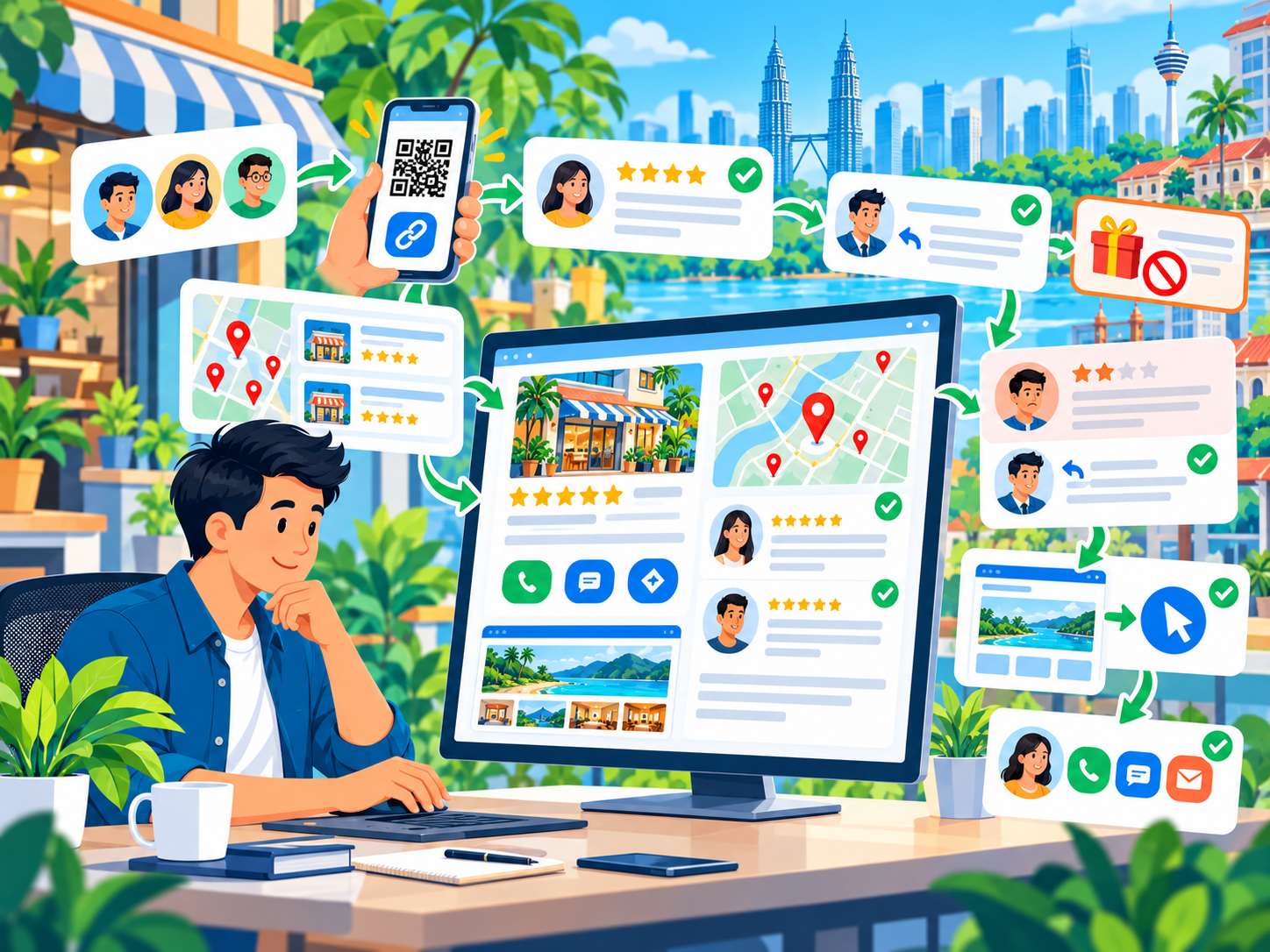
Google Search → Google Maps → Business Profile → Trust → Call / WhatsApp / Website → Enquiry
What Is Google Business Profile?
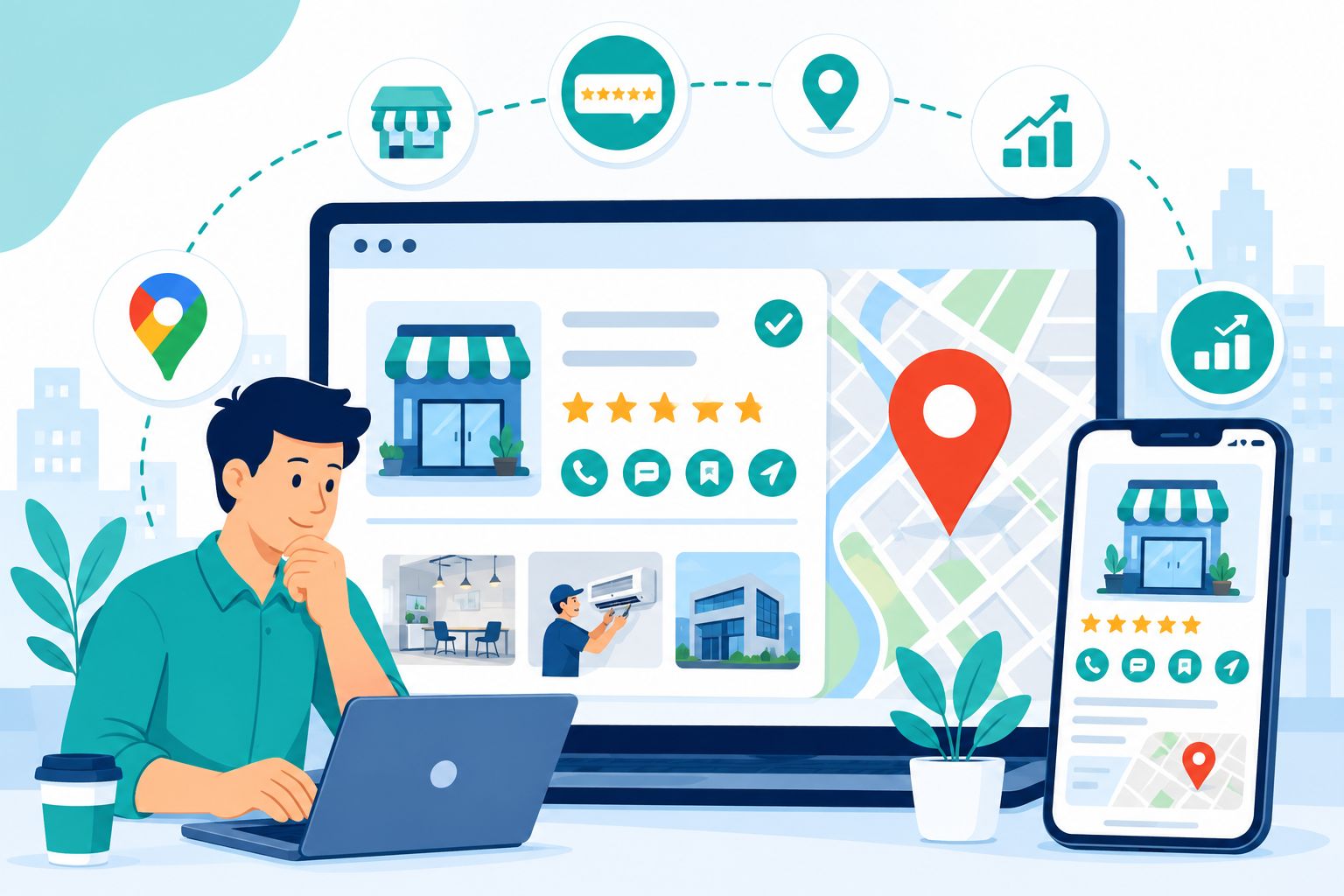
Google Business Profile (GBP) is a business profile that allows your business information to appear on Google Search and Google Maps.
Depending on your business type and the information available, customers may see information such as:
- Business name
- Address
- Opening hours
- Phone number
- Website
- Photos
- Reviews
- Services
- Business category
Google can also obtain information about a business from other sources across the web, including the official website, third-party sources and user contributions.
This means your Google Business Profile is not simply an online address.
It can become an important part of your local online presence.
Why Is Google Business Profile Important for Malaysian SMEs?
Imagine someone searches for:
- "aircond service Penang"
- "web design Penang"
- "renovation contractor Butterworth"
- "cafe near me"
- "dentist Bayan Lepas"
Google may display local search results and Google Maps listings before users explore many traditional website results.
For businesses that depend on local customers, this can create opportunities to generate:
- Calls
- WhatsApp enquiries
- Website visits
- Direction requests
- Bookings
- Walk-in customers
However, simply having a profile does not mean that you will automatically appear at the top.
Google explains that local ranking is primarily influenced by relevance, distance and prominence.
Google Business Profile vs Google Maps: What Is the Difference?
Many business owners use these two terms interchangeably.
In simple terms:
Google Business Profile is your business profile.
Google Maps is one of the places where users can discover that profile.
So when people talk about:
"Google Maps SEO"
they are usually referring to efforts to improve a business's visibility in Google Maps and local search.
15 Ways to Optimise Your Google Business Profile in Malaysia
Now let's look at the practical steps you can take.
1. Make Sure Your Business Profile Is Verified
The first step is to make sure that you actually have the correct ownership or authorisation for your profile.
Verification helps Google establish that you have the right to manage the business profile.
Do not rely on a profile created by someone else without making sure that:
- You have access
- You can manage the business information
- The location is correct
- The profile represents a real business
2. Use Your Real Business Name
Use your actual business name.
Do not change your business name to something like:
ABC Plumbing - Best Plumber in Penang - 24 Hoursif that is not your actual business name.
Adding keywords artificially to your business name is not a good SEO strategy and can create problems with Google's guidelines.
Your Business Profile should accurately represent your real business.
3. Choose the Most Accurate Primary Category
Your business category helps Google understand:
"What type of business is this?"
Do not select a category simply because it contains a keyword that appears popular.
Choose the primary category that most accurately describes your main business activity.
Where relevant and available, you can also use additional categories that genuinely describe your business.
The objective is accuracy and relevance, not keyword stuffing.
4. Complete All Important Business Information
Do not leave important sections incomplete without a good reason.
Check your:
- Business name
- Address
- Phone number
- Website
- Business hours
- Special hours
- Category
- Services
- Attributes
Incorrect information can confuse potential customers.
For example:
Your website says you are open until 7.00pm.
But Google says that you close at 5.00pm.
This type of inconsistency can reduce customer confidence.
Make sure important business information is complete and up to date.
5. Make Sure Your Phone Number Is Correct
Your phone number is one of the most important contact points for a local business.
Check that:
- The number is still active
- Customers can call it
- The number on your website is correct
- Important business listings use consistent information
If you use WhatsApp Business, make sure customers also have a clear way to contact you through WhatsApp if this is appropriate for your business.
6. Write a Useful Business Description
Your business description should answer important questions such as:
- Who are you?
- What do you offer?
- Who are your customers?
- Where do you operate?
- What makes your business different?
For example:
"We provide air conditioning installation and maintenance services for homes, offices and commercial premises across Penang."
A clear and natural description is better than repeating the same keyword multiple times.
7. Add Your Actual Services
If your Google Business Profile provides a services section, use it to describe the services you genuinely offer.
For example, an air conditioning business might offer:
- Aircond installation
- Aircond servicing
- Aircond chemical cleaning
- Aircond repair
A web design company might offer:
- Website design
- Website development
- SEO
- Local SEO
- Website maintenance
Use real service names and do not create services that you do not actually provide.
8. Add Real Business Photos
Photos can help potential customers understand your business before they contact you.
For service businesses, you can use:
- Team photos
- Office photos
- Vehicles
- Equipment
- Work in progress
- Completed projects
- Before and after images
For shops or physical premises, you can use:
- Exterior photos
- Interior photos
- Products
- Signboard
- Customer areas
Real photos can help customers understand what your business actually looks like.
9. Do Not Rely Only on Stock Photos
If you operate a shop, clinic, contractor business or service company, customers want to see:
the real business.
Not just:
a generic stock photo of a smiling employee sitting in front of a computer.
Actual photos can help build trust:
- Actual team
- Actual location
- Actual equipment
- Actual projects
- Actual products
This is particularly important for service businesses where customers need confidence before making an appointment or enquiry.
10. Get Genuine Customer Reviews
Reviews play an important role in the reputation of a local business.
Google explains that review count and positive ratings can contribute to local prominence.
However, do not buy reviews.
Do not use fake accounts.
Do not create fake reviews simply to make your profile look popular.
It is much better to build reviews from real customers who have genuinely used your services.
Focus on reviews that are:
- Genuine
- From real customers
- Relevant to your services
- Generated consistently over time
11. Respond to Reviews — Including Negative Reviews
Do not simply ignore your reviews.
Respond in a way that is:
- Professional
- Friendly
- Specific
- Helpful
For example:
"Thank you for sharing your experience. We are glad that the air conditioning installation was completed as planned."
For negative reviews, avoid:
- Arguing with the customer
- Blaming the customer
- Responding emotionally
- Revealing private customer information
A professional response can show potential customers that your business takes feedback seriously.
12. Make Sure Your Website Supports Your Google Business Profile
This is something many businesses overlook.
Your Google Business Profile and website should provide consistent information about your business.
For example:
Google Profile:
ABC Aircond Services
Website:
ABC Aircond Services
Both should describe:
- The same services
- The same operating areas
- The same phone number
- The same address where applicable
Your website can provide additional information that your Business Profile cannot fully communicate.
This is why Local SEO is not simply about managing Google Maps.
Website + Business Profile + Reviews + Local signals should work together.
13. Create Dedicated Service Pages for Local SEO
If you want Google and customers to understand your services more clearly, do not put every service into one generic page.
For example, a renovation company might have:
- Home Renovation
- Kitchen Renovation
- Bathroom Renovation
- Office Renovation
Each page can explain:
- The service
- The process
- Areas served
- Projects
- FAQs
- Contact options
This gives both search engines and customers more useful context about your business.
14. Create Useful Local Content
Local SEO does not mean writing:
"We are the best company in Penang, Penang, Penang."
That does not help the reader.
Instead, create content that genuinely relates to the locations and customers you serve.
For example:
- Service areas
- Local project case studies
- Local customer questions
- Local industry information
- Location-specific services
For a web design company, an article such as:
"Website Design for SMEs in Penang: What Should Your Website Include?"
is much more useful than simply repeating the word "Penang" throughout every paragraph.
15. Monitor Your Google Business Profile Regularly
Google Business Profile is not a:
"Set it up once and forget about it for five years."
Business information can change.
You may:
- Change operating hours
- Add new services
- Change your phone number
- Move to a new premises
- Add a new location
- Receive new reviews
- Complete new projects
Your profile should be reviewed regularly so that customers always receive accurate information.
How Does Google Determine Local Ranking?
This is very important to understand.
Google explains three major factors:
1. Relevance
How closely your Business Profile matches what the user is searching for.
For example, someone searches for:
"aircond service"
A profile that clearly offers air conditioning services is more relevant than a profile that represents an unrelated business.
2. Distance
How far your business is from the user or the location included in the search.
This means you should not expect a business in Penang to automatically rank first for every search performed in Johor or Kuala Lumpur.
3. Prominence
How well-known or prominent a business is.
Factors that can contribute to prominence may include things such as:
- Reviews
- Links
- Articles
- Directories
- Overall web presence
Understanding these three concepts is important because there is no simple "one trick" that guarantees a Top 3 Google Maps position.
Why Is Your Business Not in the Top 3 on Google Maps?
If your profile is not appearing in the Map Pack, do not immediately assume:
"Something is wrong with my Google Business Profile."
There may be several reasons.
- Competitors may be more relevant
- Competitors may be closer
- Competitors may have greater prominence
- Your profile may be incomplete
- Your category may not be ideal
- Your profile may have significantly fewer reviews
- Your website may be less relevant
- Your business information may be inconsistent
Local rankings can also change depending on the user's location and the type of search being performed.
Therefore, do not judge your entire Local SEO strategy based on one search from one computer.
Can You Pay Google to Get a Better Google Maps Ranking?
For organic local rankings, Google does not allow businesses to simply pay for a better ranking position.
Google Ads is a separate service.
If you want advertising placements for local searches, you can use paid advertising.
But do not confuse:
Organic Local Ranking
with:
Paid Advertising
They are two different strategies.
Google Business Profile and Website SEO
This is particularly important when building a complete SEO strategy.
Your Business Profile is not a replacement for your website.
Your website is also not a replacement for your Business Profile.
Think of the customer journey like this:
Google Search
↓
Google Maps / Business Profile
↓
Website
↓
Service Page
↓
Portfolio / Reviews
↓
WhatsApp / Call
↓
Enquiry
This is why Local SEO should be viewed as a system rather than a single Google profile.
Google Business Profile and Reviews
Reviews can help from two important perspectives.
Trust
Customers can see what previous customers experienced before deciding whether to contact your business.
Local prominence
Google states that review count and ratings can contribute to local prominence.
However, do not try to manipulate reviews.
Focus on genuine customers.
How Can You Ask Customers for Google Reviews?
After successfully completing a project or service, you can politely ask your customer for feedback.
For example:
"Thank you for choosing our service. If you are happy with our service, we would really appreciate it if you could share your experience on Google."
Provide the correct review link where appropriate.
Do not:
- Buy reviews
- Create fake reviews
- Ask employees to pretend to be customers
- Use deceptive review automation
Are Google Business Profile Posts Mandatory?
Do not treat Google Business Profile Posts as a secret ranking hack.
If the feature is available for your profile, posts can be useful for communicating:
- Updates
- Offers
- Events
- New services
- Completed projects
Use posts primarily to provide useful information to customers rather than simply trying to manipulate rankings.
How Often Should You Update Your Google Business Profile?
There is no official posting frequency that guarantees a higher ranking.
A better approach is:
"Update your profile whenever there is something useful for customers."
For example:
- New service
- New project
- New location
- Holiday hours
- Special announcement
- New products
Do not publish meaningless content simply to make the profile appear active.
Google Business Profile for Service Area Businesses
Not every business has a physical shop where customers visit.
Examples include:
- Plumbers
- Aircond technicians
- Renovation contractors
- Cleaning companies
- Mobile repair services
For these businesses, it is important to follow Google's guidelines regarding business addresses and service areas.
Do not use a fake address simply to try to rank in another location.
Use service areas and business information that accurately reflect where you actually operate.
Do Not Create Multiple Google Business Profiles Without a Valid Reason
Do not create a new profile for every keyword.
For example:
ABC Renovation Penang
ABC Renovation Bayan Lepas
ABC Renovation Butterworth
ABC Renovation Kitchen
if all of these actually refer to the same business and location.
Your Business Profile should represent a real business, not become a collection of keyword pages.
Google Business Profile and NAP Consistency
NAP normally refers to:
- Name
- Address
- Phone
Make sure important business information is consistent across:
- Google Business Profile
- Website
- Social profiles
- Business directories
- Industry listings
You do not need to submit your business to every directory on the internet.
Focus on relevant and trustworthy sources.
Google Business Profile and Local Citations
A local citation is a mention of your business information on another platform or website.
Examples include:
- Business directories
- Industry associations
- Local publications
- Professional listings
Do not submit your business to hundreds of low-quality directories simply because someone is selling "500 citations".
Focus on relevance, accuracy and quality.
Google Business Profile for Businesses in Penang
For businesses operating in Penang, Local SEO can be competitive depending on the industry.
For example:
- web design Penang
- aircond service Penang
- renovation contractor Penang
- SEO company Penang
These searches can have strong local intent.
If you operate in Penang, make sure that:
- Your business information is accurate
- Your service areas reflect your actual operations
- Your website has local relevance
- You have genuine customer reviews
- You have real business and project photos
Google Business Profile and Website Content
Your website should provide additional context about your business.
For example, if your Business Profile mentions:
Website Design
your website can have dedicated pages such as:
- Website Design
- Website Development
- Website Redesign
- Landing Page Design
This allows customers to understand your services in greater detail.
From an SEO perspective, your website also provides much more space for useful content and context than a Business Profile alone.
Google Business Profile Mistakes You Should Avoid
1. Keyword Stuffing in the Business Name
Use your real business name.
2. Fake Reviews
Do not buy or create fake reviews.
3. Fake Address
Do not use a fake address simply to obtain local visibility.
4. Duplicate Profiles
Do not create multiple profiles simply to target different keywords or locations without a legitimate business reason.
5. Wrong Category
Choose the category that most accurately represents your actual business.
6. Inconsistent Information
Make sure important business information is consistent.
7. No Photos
An empty profile can be less convincing to potential customers.
8. Ignoring Reviews
Do not leave customer reviews completely unattended when a response would be appropriate.
9. Outdated Opening Hours
Keep your operating hours updated, including special changes.
10. Treating GBP as a One-Time Setup
Your profile should be maintained whenever your business information changes.
Google Business Profile Optimisation Checklist for Malaysia
- Profile verified
- Real business name
- Correct primary category
- Relevant additional categories
- Complete business information
- Correct phone number
- Correct opening hours
- Complete services
- Clear business description
- Real business photos
- Up-to-date information
- Genuine customer reviews
- Professional review responses
- Website linked correctly
- Website has relevant local content
- NAP information is consistent
- No fake locations
- No fake reviews
- No unnecessary duplicate profiles
- Profile is reviewed regularly
How Can You Tell Whether Your Optimisation Is Working?
Do not look at only one thing:
"I am ranking number one."
It is better to monitor several business outcomes.
- Calls
- Website clicks
- Direction requests
- WhatsApp enquiries
- Bookings
- New reviews
- Search impressions
For some businesses, rankings are important.
But rankings that do not generate customers are not necessarily business success.
Google Business Profile and Conversion
Imagine a potential customer looking at your profile.
They may have several options:
Call
Website
Directions
Message
Your profile therefore needs to answer important questions quickly:
- What business is this?
- Is this business near me?
- Do they provide the service I need?
- Can I trust them?
- How can I contact them?
This is why optimisation is not only about Google.
It is also about people.
How Long Does It Take to See Results?
There is no official timeframe that guarantees a Business Profile will reach the Top 3.
Local ranking can depend on:
- Relevance
- Distance
- Prominence
- Competition
- Search context
Google does not guarantee a specific position in local search.
Therefore, be careful with agencies that promise:
"We can guarantee Google Maps Top 3 in 7 days."
A good Local SEO strategy requires continuous improvement and realistic expectations.
Is Google Business Profile Enough for Local SEO?
No.
Your Google Business Profile is an important component.
A more complete Local SEO strategy can also involve:
- Google Business Profile
- Website SEO
- Location pages
- Service pages
- Reviews
- Local mentions
- Relevant links
- Structured data
- Technical SEO
For technical SEO, you can also read:
Technical SEO Checklist Malaysia 2026: 30 Things You Should Check
Google Business Profile vs Google Ads
Your Business Profile supports organic local visibility.
Google Ads allows you to pay for advertising placements.
The right approach depends on your business goals.
If you want to understand the difference, you can also read:
SEO vs Google Ads in Malaysia: Which Is More Worth It?
15-Point Google Business Profile Action Plan
If you want to implement the strategy practically, follow this sequence:
- Verify your profile
- Check your business name
- Choose the correct primary category
- Add relevant categories
- Complete your business information
- Check your phone number and opening hours
- Update your business description
- Add your services
- Add real business photos
- Request genuine customer reviews
- Respond to reviews
- Connect your website
- Improve your local website content
- Check NAP consistency
- Monitor your profile and customer actions
Conclusion
Google Business Profile is much more than simply listing your business address on Google Maps.
For Malaysian SMEs, it can become an important touchpoint between customers who are actively searching for something and businesses that want to generate enquiries.
Good optimisation starts with:
- Complete information
- The right category
- Clear services
- Real photos
- Genuine reviews
- Professional responses
- A relevant website
- Consistent business information
Google explains that local ranking is primarily influenced by relevance, distance and prominence.
So instead of looking for a "ranking hack", focus on building a profile that is:
accurate + useful + trustworthy + locally relevant
and make sure it is supported by your website and overall Local SEO strategy.
Ultimately, the goal of Local SEO should not simply be:
"I want to be in the Top 3 on Google Maps."
The real goal is:
More visibility → More trust → More calls → More enquiries → More customers.
Frequently Asked Questions
What is Google Business Profile?
Google Business Profile is a business profile that allows your business information to appear on Google Search and Google Maps.
Is Google Business Profile free?
Google Business Profile is Google's product for managing a business's presence on Google Search and Maps. However, other services such as website development, SEO, professional photography or advertising are separate costs.
Can Google Business Profile help with Google Maps ranking?
Yes. A Business Profile is an important foundation for local visibility. However, having a complete profile does not guarantee a specific ranking position because Google considers multiple factors including relevance, distance and prominence.
How can I improve my Google Maps ranking?
Start by making sure your profile is complete and accurate. Use relevant categories, add services and photos, obtain genuine customer reviews, respond to reviews and build a relevant website and Local SEO strategy.
How many Google reviews do I need?
There is no official number of reviews that guarantees a particular ranking. Focus on obtaining genuine reviews consistently from real customers and providing a service that creates positive customer experiences.
Can I buy Google reviews?
No. Focus on genuine reviews from real customers. Fake reviews can damage trust and may create risks for your profile.
Do I need to post on Google Business Profile every day?
No. There is no posting frequency that guarantees better rankings. Use posts when you have useful updates, offers, events, services or other information that customers may find valuable.
Should my business name contain keywords?
Use your actual business name. Do not artificially add keywords to your business name simply to try to influence rankings.
Do I need a website for Google Business Profile?
A Business Profile can exist without a website in certain circumstances, but a website can be an important asset for providing more information about your services, location, portfolio and contact options.
Is Google Business Profile alone enough for Local SEO?
Not necessarily. A broader Local SEO strategy can also include website SEO, location pages, service pages, reviews, relevant local mentions, structured data and technical SEO.
Why doesn't my Google Business Profile appear for every keyword?
Google determines local results using several factors including relevance, distance and prominence. A business is not necessarily relevant for every search term simply because the business owner wants to rank for that keyword.
Can I have multiple Google Business Profiles for one business?
Do not create duplicate profiles simply to target different keywords or locations. The appropriate profile structure depends on the actual operations and locations of the business.
How long does Local SEO take?
There is no fixed timeframe that guarantees rankings. Competition, location, business prominence, profile completeness, website relevance and other factors can all affect the results.
Want to Improve Your Business's Local Visibility?
Google Business Profile is only one part of a complete Local SEO strategy.
Nibong Web Studio helps Malaysian SMEs build websites and SEO foundations that support:
- Google Search
- Google Maps
- Local SEO
- Website visibility
- Customer enquiries
If you want to improve your business website or Local SEO:
View Nibong Web Studio Portfolio →
Ready to build your website?
Tell us about your business and we will recommend the right package.