wordpress-vs-custom-website-malaysia
WordPress vs Custom Website Malaysia: Which Is Better for Your Business?
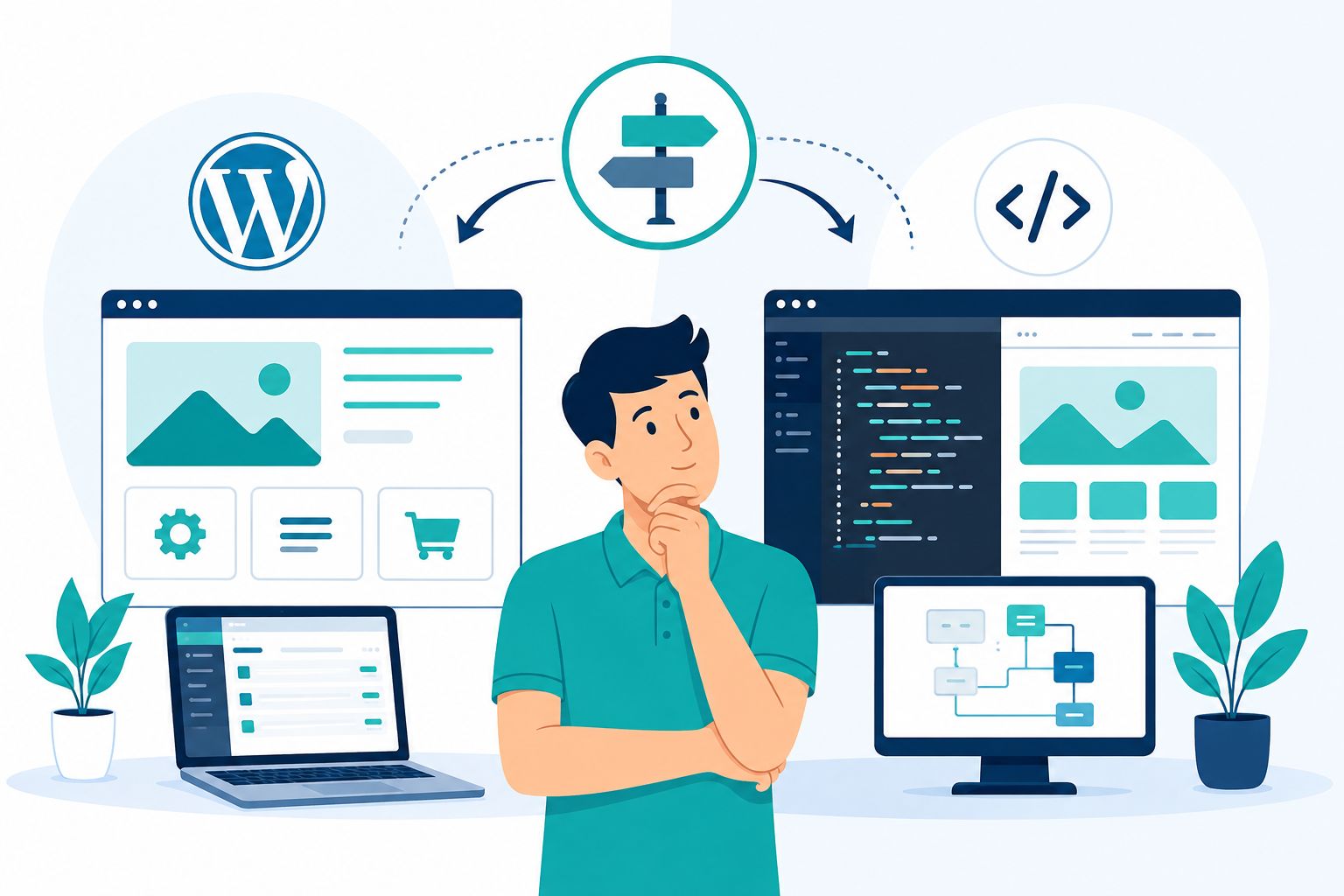
When it comes to building a new website, many business owners in Malaysia face the same question:
"Should I use WordPress or build a custom website?"
WordPress has been a popular choice for business websites, corporate websites, blogs and e-commerce websites for many years.
A custom website, on the other hand, provides greater control over design, functionality and technical architecture.
So which one is better?
The real answer is:
It depends on what your website actually needs to do.
If you only need a professional company website with service pages, a blog, contact forms and WhatsApp integration, WordPress may be more than enough.
If your website needs a customer portal, complex booking system, dealer management, ERP integration, marketplace functionality or highly specialised workflows, custom development may be more suitable.
In this article, we will compare WordPress vs custom website in Malaysia based on:
- Cost
- Development time
- Design
- SEO
- Website speed
- Security
- Maintenance
- Scalability
- Flexibility
- Ownership
- Content management
- Integrations
By the end of this article, you should have a clearer understanding of which option is more suitable based on your business type and actual requirements.
What Is WordPress?
WordPress is a Content Management System (CMS) that allows businesses to build and manage websites using a mature platform with a large ecosystem of themes, plugins and development tools.
WordPress can be used for:
- Company websites
- Corporate websites
- Business websites
- Blogs
- Portfolio websites
- E-commerce websites
- Membership websites
- Multilingual websites
One of the main reasons WordPress is popular is that you do not have to build every function from scratch.
You can use:
- Themes
- Plugins
- Page builders
- Custom code
- CMS functionality
This makes WordPress a practical solution for many types of businesses.
What Is a Custom Website?
A custom website is a website developed specifically according to the requirements of a particular business.
Instead of relying primarily on standard functionality, developers can build:
- Custom frontend
- Custom backend
- Custom CMS
- Custom database structure
- Custom workflows
- Custom integrations
For example, a company may require:
- Customer portal
- Dealer portal
- Booking system
- Inventory management
- CRM integration
- ERP integration
- Automated quotation system
- Membership management
- Marketplace functionality
In situations like these, custom development may be more suitable because the website is effectively becoming a business application, rather than simply a marketing website.
WordPress vs Custom Website: Quick Comparison
| Factor | WordPress | Custom Website |
|---|---|---|
| Initial cost | Usually lower | Usually higher |
| Development time | Usually faster | Usually longer |
| Content editing | Easy | Depends on the CMS |
| Design flexibility | High | Very high |
| Custom functionality | Depends on plugins / development | Very flexible |
| SEO | Can be excellent | Can be excellent |
| Security | Requires proper maintenance | Depends on architecture and development |
| Maintenance | Generally easier for standard websites | Usually more technical |
| Scalability | High for many business websites | Very high for custom systems |
| Best fit | SMEs, corporate websites, blogs, standard e-commerce | Complex systems and unique workflows |
Which Is Cheaper: WordPress or a Custom Website?
In general, WordPress has a lower initial development barrier because many functions are already available through the CMS, themes and plugins.
A custom website requires more design, architecture, programming, testing and development work.
However, you should be careful when looking only at the initial price.
A better question is:
"What will the website actually cost to build, maintain and develop over the next few years?"
The actual cost may include:
- Initial development
- Hosting
- Domain
- Premium plugins
- Licences
- Maintenance
- Security updates
- Developer support
- Content updates
- Future features
- Redesign
Therefore, the cheapest website on day one is not necessarily the cheapest option over the long term.
Who Is WordPress More Suitable For?
WordPress is generally a practical choice for businesses that need a standard or content-driven website.
For example:
- Small businesses
- Professional services
- Law firms
- Accounting firms
- Engineering companies
- Renovation companies
- Air conditioning service businesses
- Manufacturers
- Trading companies
- Consultants
- Hotels
- Educational businesses
- NGOs
- Corporate websites
If your requirements are:
- Homepage
- About page
- Service pages
- Project portfolio
- Blog
- Contact form
- SEO
WordPress may already be sufficient.
Who Is a Custom Website More Suitable For?
Custom development becomes more attractive when a website has much more complex requirements.
For example:
- Customer portal
- Dealer management
- Complex booking system
- ERP integration
- Inventory system
- Custom CRM
- Marketplace
- SaaS platform
- Large membership platform
- Complex quotation engine
- Internal management system
If your website needs to follow workflows that cannot be implemented effectively using a standard CMS architecture, custom development may make more sense.
WordPress vs Custom Website for Design
One common misconception is:
"A WordPress website must look like a template."
That is not necessarily true.
WordPress can use:
- Custom themes
- Custom CSS
- Custom templates
- Custom components
- Custom plugins
Therefore, a WordPress website can look completely different from its original theme or template.
Custom development provides even more control over:
- Frontend architecture
- Components
- Interactions
- Animation
- User experience
However, greater flexibility also means more design and development work.
WordPress vs Custom Website for SEO
This is one of the most common questions businesses ask.
"Is a custom website better for Google SEO?"
The answer is:
Not automatically.
Google does not give a website a ranking advantage simply because it was built using custom code.
Likewise, using WordPress does not automatically make a website rank highly.
SEO depends on factors such as:
- Search intent
- Content quality
- Relevance
- Crawlability
- Indexing
- Internal links
- Metadata
- Structured data
- Website performance
- Mobile experience
- Authority
Both WordPress and custom websites can be SEO-friendly when they are implemented correctly.
WordPress vs Custom Website for Website Speed
Another common assumption is:
"A custom website must be faster than WordPress."
That is not necessarily true either.
A WordPress website can become slow because of:
- Too many plugins
- Heavy themes
- Large images
- Unnecessary scripts
- Poor hosting
- Unoptimised database
A custom website can also become slow because of:
- Poor frontend architecture
- Too much JavaScript
- Large assets
- Slow APIs
- Heavy third-party services
- Poor backend performance
Therefore:
Technology alone does not determine website speed.
Architecture, code quality, hosting, caching, assets and optimisation all matter.
For a more detailed guide, read:
Website Speed Malaysia 2026: Core Web Vitals, SEO & How to Make Your Website Faster
WordPress vs Custom Website for Security
Which one is more secure?
Once again, the answer is:
It depends on the implementation.
WordPress has a very large ecosystem.
One advantage is that many security tools and solutions are available.
However, risks can increase when a website:
- Uses outdated plugins
- Uses abandoned plugins
- Uses untrusted themes
- Has weak passwords
- Has no backups
- Has no monitoring
A custom website can have a more controlled attack surface when it is built using a well-designed architecture.
However, a custom system still requires:
- Security updates
- Access control
- Backups
- Monitoring
- Security testing
Do not choose a technology simply because someone says:
"This platform is more secure."
Ask how the website will actually be managed and maintained.
WordPress vs Custom Website for Maintenance
WordPress is generally easier for standard content management.
Editors can:
- Publish articles
- Edit pages
- Update images
- Manage categories
- Manage products
However, technical maintenance is still required.
This can include:
- WordPress core updates
- Plugin updates
- Theme updates
- Security checks
- Backups
- Compatibility testing
Custom websites may require a developer for larger technical changes, depending on the architecture and CMS used.
WordPress vs Custom Website for Content Editing
This is one of WordPress's important advantages.
If your marketing team wants to:
- Add blog posts
- Edit service pages
- Change images
- Add products
A CMS can give them more control.
A custom website can also have a CMS.
Therefore, do not assume:
"Custom means I cannot edit the website myself."
It depends on how the CMS has been built.
WordPress vs Custom Website for Flexibility
WordPress is highly flexible for many standard business requirements.
You can add functionality through:
- Plugins
- Custom development
- APIs
- Custom themes
However, there are situations where too many plugins or workarounds can create:
- Complexity
- Conflicts
- Performance issues
- Maintenance burden
Custom development provides greater freedom to build functionality from the ground up.
However, you also have to pay for that flexibility in terms of development, testing and maintenance.
WordPress vs Custom Website for Scalability
"Scalability" can mean many different things.
It can mean:
- More pages
- More products
- More visitors
- More users
- More functionality
- More integrations
WordPress can scale well for many types of business websites.
Custom development provides more control when scalability involves complex application workflows.
Do not assume that "custom" automatically means the website will scale without problems.
The architecture still needs to be designed properly.
WordPress vs Custom Website for E-commerce
If you want to sell products online, WordPress can use WooCommerce for many standard e-commerce requirements.
It can be suitable for online stores that need:
- Product management
- Shopping cart
- Checkout
- Payment integration
- Shipping
- Discounts
Custom development may become more suitable when your e-commerce operation has:
- Complex pricing logic
- Dealer-specific pricing
- Custom inventory workflows
- Complex ERP integration
- Marketplace functionality
- Unique fulfilment processes
Do not choose custom development simply because you are selling products.
First determine the actual level of complexity.
WordPress vs Custom Website for B2B Businesses
For most B2B companies, the main website usually needs:
- Company profile
- Services
- Industries
- Projects
- Case studies
- Blog
- Contact
- Quotation form
Requirements like these can generally be supported by WordPress.
However, if the website needs to interact with:
- ERP
- CRM
- Inventory
- Dealer systems
- Internal workflows
A custom architecture may become more attractive.
WordPress vs Custom Website for SMEs
For most Malaysian SMEs that are building a website for the first time, I would start with these questions:
- Is the website primarily a marketing website?
- Do you need a customer portal?
- Do you need custom workflows?
- Do you need ERP integration?
- Do you need a custom application?
- Does your team want to manage the content themselves?
If most of the answers are:
Marketing website + content + enquiries
WordPress may be the more practical choice.
If the answers are:
Custom workflows + application + integrations + unique business logic
Custom development may be more suitable.
Do Not Choose Custom Just Because You Want a "Premium" Website
This is a fairly common mistake.
A custom website can provide:
- Unique design
- Custom interactions
- Custom architecture
But if your website only contains:
- Home
- About
- Services
- Portfolio
- Contact
You may not need a highly complex application architecture.
Use custom development because of your business requirements, not simply because it sounds more premium.
Do Not Choose WordPress Just Because It Is Cheap
The opposite mistake also happens.
If your website requires:
- Complex customer portal
- Custom booking workflow
- ERP integration
- Custom dashboard
- Automated business processes
It may become more expensive to force WordPress to do something that should have been built as a custom application.
In the long term, workarounds can add unnecessary complexity.
What About Website Builders?
In 2026, the comparison does not necessarily have to be:
WordPress vs Custom.
You also have options such as:
- Website builders
- Managed platforms
- Shopify
- Webflow
- Headless CMS
- Custom frameworks
The important point is that website technology should be selected based on requirements, rather than simply following technology trends.
WordPress vs Custom Website: Decision Framework
Use this simple framework.
| Requirement | Potentially More Suitable Option |
|---|---|
| Company profile website | WordPress |
| SME business website | WordPress |
| Blog-heavy website | WordPress |
| Standard e-commerce | WordPress / WooCommerce or e-commerce platform |
| Simple landing page | Builder / WordPress / custom |
| Custom customer portal | Custom development |
| Complex booking engine | Custom or specialised platform |
| ERP integration | Custom / specialised architecture |
| Marketplace | Custom / specialised platform |
| SaaS application | Custom development |
Questions You Should Ask Before Choosing a Platform
Before paying a developer, ask:
1. What is the primary purpose of the website?
Branding? Leads? Sales? Portal? Application?
2. Who will manage the content?
Owner? Marketing team? Developer?
3. What functionality is actually required?
List what is essential, not simply what would be nice to have.
4. What integrations are required?
CRM? ERP? Payment? Booking? WhatsApp? Email marketing?
5. What is the long-term budget?
Do not only consider the development budget.
6. Who will maintain the website?
This is important for both WordPress and custom development.
7. Do you own the website?
Make sure things such as domain ownership, hosting access, source code, content and administrative access are clearly stated in the agreement.
Ownership: Who Actually Owns the Website?
This is a question many business owners forget to ask.
Make sure you understand the status of:
- Domain ownership
- Hosting account
- Admin access
- Source code
- Website content
- Database
- Paid plugins / licences
- Design assets
WordPress uses open-source software, but practical ownership still depends on how the website is managed and what has been agreed with the developer.
The same applies to a custom website:
Who owns the source code?
Do not simply assume.
Make it clear in the agreement.
WordPress vs Custom Website: Think in 3-Year Terms
Do not compare only the first year's price.
Think about:
| Year | Question |
|---|---|
| Year 1 | How much does the build cost? |
| Year 2 | How much will hosting, maintenance and updates cost? |
| Year 3 | Does the website still meet the business requirements? |
Also ask:
- Will additional functionality be required?
- Will a redesign be needed?
- Will security maintenance be required?
- Can the team update the content themselves?
- Will integrations continue to work?
This is part of what is known as the Total Cost of Ownership.
WordPress vs Custom Website for Long-Term SEO
If SEO is part of your strategy, do not simply ask:
"Which platform ranks better?"
Instead, ask:
- Can I publish content easily?
- Can I edit metadata?
- Can I control URLs?
- Can I manage canonical tags?
- Can I implement structured data?
- Can I manage redirects?
- Can I create internal links?
- Can I optimise performance?
- Can I maintain the website?
A platform that gives you good control over these areas may be more useful than a platform that simply appears more "advanced".
WordPress vs Custom Website as Your Business Grows
A good decision today does not necessarily have to remain the best decision forever.
A business may grow from:
Simple company website
into:
Lead generation website
and eventually:
Customer platform
At that point, the architecture may need to evolve as well.
Do not overbuild too early.
But do not ignore future requirements either.
Can You Start With WordPress and Move to Custom Later?
Yes, but the migration needs to be planned carefully.
If you move from WordPress to a custom website, pay attention to:
- URL structure
- 301 redirects
- Metadata
- Canonical URLs
- Content
- Images
- Internal links
- Sitemap
- Structured data
- Analytics
- Search Console
Do not change platforms without considering the SEO migration.
For a more detailed guide, read:
Website Redesign Malaysia: When Is the Right Time to Redesign Your Website?
WordPress vs Custom Website for Malaysian SMEs: A Practical Choice
If you are an SME planning to build a new website, I would use the following logic:
Choose WordPress if:
- You need a standard business website
- You want to publish content yourself
- You want to launch faster
- You have a more moderate budget
- You need a blog and SEO
- You need standard e-commerce
- You do not require complex business workflows
Consider Custom Development if:
- The website is part of a business application
- You need custom workflows
- You need complex integrations
- You need customer or dealer portals
- You have unique data structures
- Standard plugins or platforms cannot meet your requirements
- You have the budget and technical support for ongoing maintenance
Mistakes to Avoid
1. Choosing a Platform Based Only on Price
The initial price is not the Total Cost of Ownership.
2. Choosing Custom Simply Because It Sounds More Advanced
Complexity does not automatically create more business value.
3. Choosing WordPress Without Considering Maintenance
WordPress still requires updates, backups and security management.
4. Not Planning SEO From the Beginning
The platform can be changed later, but a poorly planned migration can create SEO problems.
5. Not Having Your Own Access
Make sure the business can control its own domain, hosting and administrative access.
6. Building Too Many Features
Do not pay for features that you do not actually need.
7. Not Deciding Who Will Manage the Website
Someone needs to take ownership of the website after launch.
WordPress vs Custom Website: Checklist Before You Decide
- Is this website primarily a marketing website?
- Do you need a CMS?
- Does your team want to update the content themselves?
- Do you need a blog?
- Do you need e-commerce?
- Do you need a customer portal?
- Do you need ERP integration?
- Do you need custom workflows?
- What is your development budget?
- What is your maintenance budget?
- Who will maintain the website?
- Who owns the domain?
- Who owns the source code?
- What are your SEO requirements?
- What are your performance requirements?
- What are your future requirements?
Conclusion
WordPress vs custom website is not a competition where there is one absolute winner.
Both can be excellent choices.
WordPress is generally very practical when you need:
- Business websites
- Corporate websites
- Service websites
- Blogs
- Portfolio websites
- Standard e-commerce
Custom development becomes more attractive when the website needs to function as:
- Customer platform
- Portal
- Business application
- Marketplace
- Complex booking system
- Integrated business system
Therefore, the best question is not:
"Which is more powerful, WordPress or custom development?"
Instead, ask:
"Which technology is most suitable for my business requirements today and over the next few years?"
Do not overbuild.
Do not underbuild either.
Build what your business actually needs.
Frequently Asked Questions
Is WordPress good for business websites in Malaysia?
Yes. WordPress can be a good choice for many Malaysian SMEs and corporate websites that need content management, service pages, blogs, portfolios and standard integrations.
Is a custom website better than WordPress?
Not automatically. A custom website is more suitable when you have specific requirements that are difficult to implement effectively using a standard platform. For a normal business website, WordPress may be more than sufficient.
Is WordPress cheaper than a custom website?
WordPress generally has a lower initial development cost, but the actual cost depends on design, development, plugins, hosting, licensing, maintenance and future requirements.
Is a custom website better for SEO?
Not necessarily. Both WordPress and custom websites can perform well in SEO. SEO results depend more on content, technical SEO, architecture, performance, relevance, authority and implementation.
Is WordPress slower than a custom website?
Not necessarily. A WordPress website with too many plugins or a heavy theme can be slow, but a custom website with excessive JavaScript or poor architecture can also be slow.
Is a custom website more secure?
Not automatically. Security depends on architecture, access control, updates, backups, monitoring and development practices. Both WordPress and custom websites require proper maintenance.
When should I choose a custom website?
Consider custom development when your website requires custom workflows, customer portals, complex integrations, business applications, marketplace functionality or features that cannot be implemented effectively using standard platforms.
Can I start with WordPress and move to a custom website later?
Yes. However, the migration should be carefully planned, including URL redirects, content, metadata, canonical URLs, sitemap, analytics and Search Console.
Who should use WordPress?
WordPress is generally suitable for SME websites, corporate websites, professional services, blogs, portfolio websites and many standard e-commerce projects.
Who should use custom development?
Custom development is more suitable for businesses with unique workflows, customer portals, complex integrations, marketplaces, SaaS applications or websites that effectively function as business software.
Do I need to choose the most modern technology?
Not necessarily. Technology should be selected based on requirements, budget, maintainability, performance, SEO and your team's ability to manage the website.
Need Help Choosing the Right Website Platform?
Choosing between WordPress and a custom website should start with your business requirements, not simply with technology trends.
Nibong Web Studio helps Malaysian SMEs determine the right website approach based on:
- Business goals
- Website requirements
- SEO
- Performance
- Budget
- Future growth
If you are planning a new website or considering replacing your existing website:
View Nibong Web Studio Portfolio →
Ready to build your website?
Tell us about your business and we will recommend the right package.