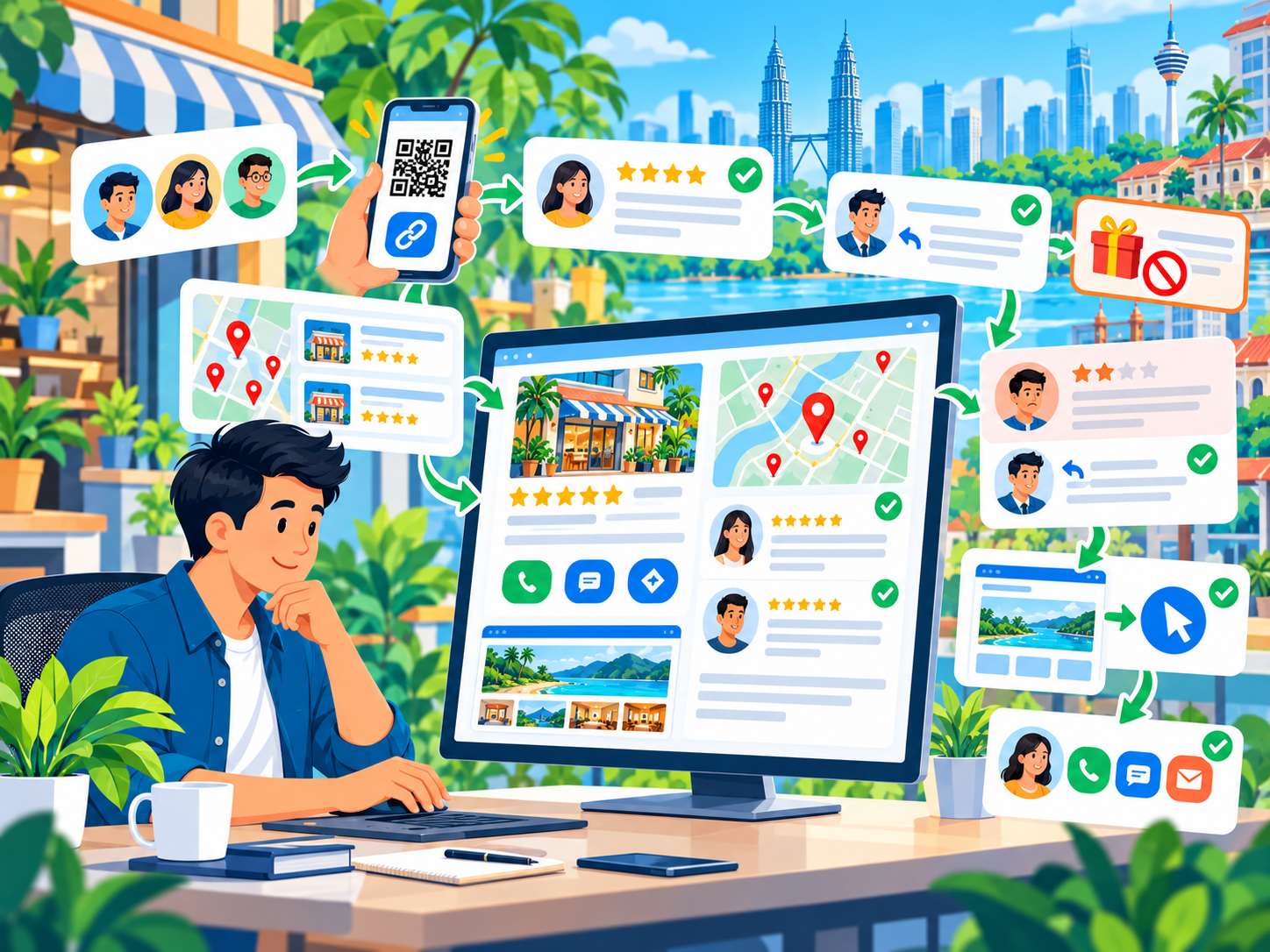
SEO
How to Get Your Business on Google Maps in Malaysia: Google Business Profile Guide 2026
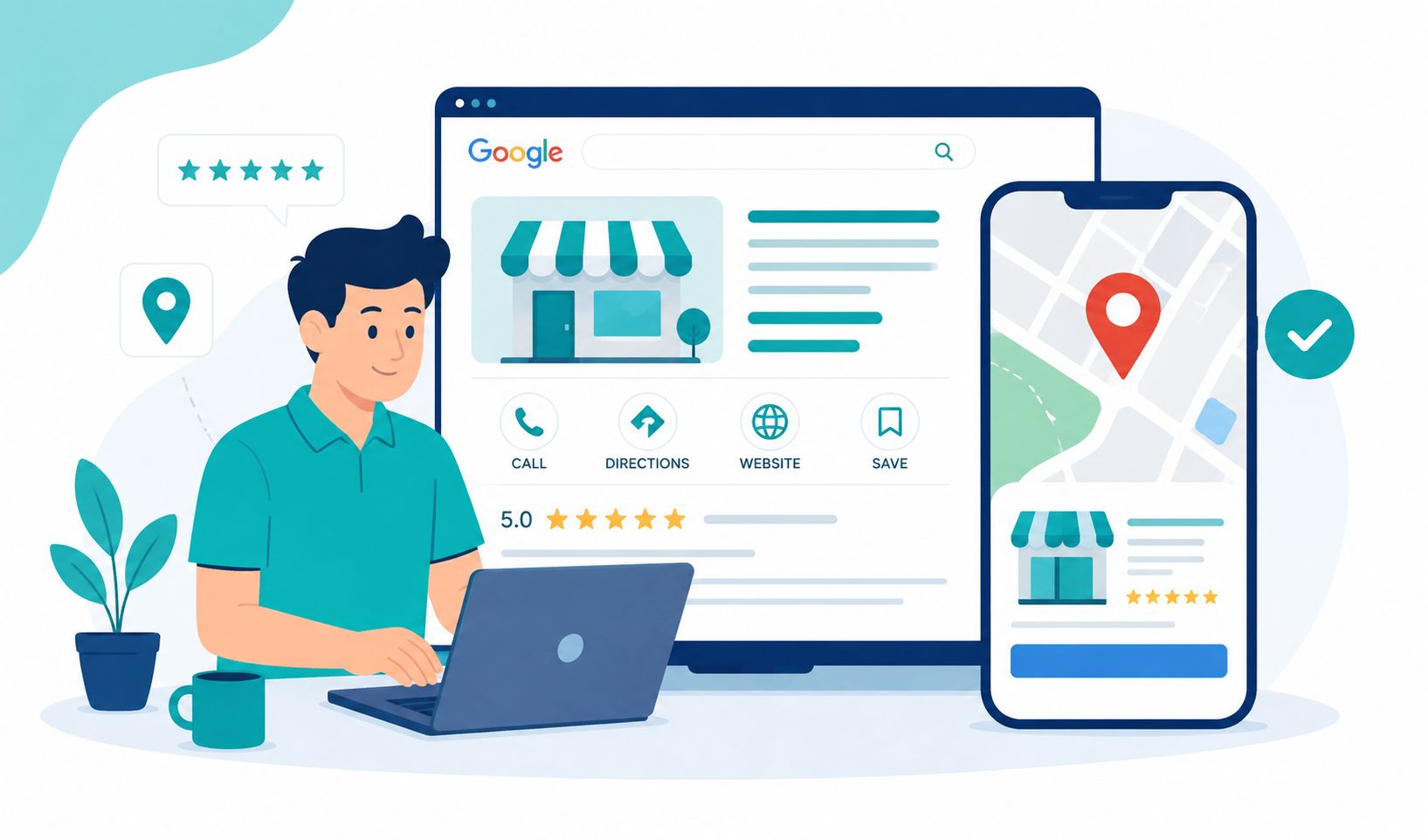
When someone searches for "restaurant near me", "aircond service Penang" or "web designer Penang" on Google, they may see local businesses on Google Maps before visiting any website.
That is why, if you operate a local business in Malaysia, you may be wondering:
"How do I get my business on Google Maps?"
Today, this is managed through a Google Business Profile, which is Google's free business profile that can appear in Google Search and Google Maps.
This was previously known as Google My Business or GMB.
In this guide, we will explain the process from start to finish:
- Who is eligible for a Google Business Profile
- How to add your business to Google Maps
- How to claim an existing listing
- How verification works
- What information you should provide
- How to optimise your profile
- How to get genuine customer reviews
- How to use service areas
- How Google local ranking works
- How a website supports your Google Maps strategy
What Is Google Business Profile?
Google Business Profile is a business profile that allows eligible businesses to manage how their information appears on Google Search and Google Maps.
Through your profile, you can display information such as:
- Business name
- Business category
- Address
- Service area
- Business hours
- Phone number
- Website
- Photos and videos
- Services or products
- Customer reviews
Google states that Business Profiles are for eligible businesses that interact with customers in person, either at a physical location or by travelling to customers. They are not intended for businesses that operate entirely online without in-person customer interaction.
See Google's official Google Business Profile guidance.
Who Can Put a Business on Google Maps?
Not every type of business is eligible for a Google Business Profile.
In general, your business should interact with customers in person.
Examples include:
- Physical shops and premises
- Restaurants
- Clinics
- Salons
- Workshops
- Contractors
- Aircond service businesses
- Plumbers
- Cleaning services
- Consultants who meet customers in person
- Businesses that travel to customer locations
Online-only businesses that do not interact with customers in person are not eligible for a Google Business Profile.
Do not create fake listings simply to obtain rankings. Inaccurate information or violations of Google's guidelines can result in a profile being restricted or removed.
Google Maps vs Google Business Profile: What Is the Difference?
Many business owners use the terms "Google Maps" and "Google Business Profile" interchangeably.
In simple terms:
Google Maps is the map and location search platform used by customers.
Google Business Profile is the business profile you manage so that your information can appear on Google Search and Google Maps.
So when you want to "register a business on Google Maps", what you are really doing is creating or claiming a Google Business Profile.
How to Get Your Business on Google Maps in Malaysia
If your business profile does not exist yet, you can create a Business Profile through Google.
Google provides a process for adding a business through:
Step 1: Sign in to Your Google Account
Use the Google Account that will be used to manage your business profile.
If you have an appropriate business email account, you may prefer to use it to make business management easier.
Step 2: Search for Your Business Name First
Before creating a new listing, search for your business name on Google Search and Google Maps.
This is important because a profile for your business may already exist.
If it already exists, do not immediately create another listing.
You may need to claim the existing Business Profile.
Step 3: Add Your Business if No Suitable Profile Exists
If Google cannot find a suitable profile, choose the option to add your business and follow the instructions shown on screen.
Enter accurate and genuine business information.
Step 4: Enter Your Real Business Name
Use your real-world business name as it is actually used by your business.
Do not add keywords unnecessarily to the business name.
For example, if your actual business name is:
ABC Aircond Services
do not change it to:
ABC Aircond Services Penang Cheap Aircond Specialist
Google does not allow unnecessary keyword additions to business names. Your profile name should reflect the real name used by the business.
See Google's official business name guidelines.
Step 5: Choose Your Business Category
Choose the category that most accurately describes your main business activity.
Do not choose a category simply because it contains a keyword that looks attractive.
Your category helps Google understand what type of business you operate and match your profile to relevant searches.
Step 6: Add Your Address or Service Area
This is where many business owners make mistakes.
If customers visit your premises, you can use your real business address.
If you are a service-area business that travels to customers, you can set the areas you serve and hide your address if customers are not served at that address.
For example:
- George Town
- Butterworth
- Bayan Lepas
- Balik Pulau
- Bukit Mertajam
Google allows service-area businesses to define service areas using cities, postcodes or other areas they genuinely serve. Do not invent service areas purely to target additional locations.
See Google's service-area guidance.
Step 7: Add Your Phone Number and Website
Enter the phone number that your business actually uses.
If you have a website, add your official website.
This gives customers an additional way to learn more about your business and continue from Google Maps to your website.
Step 8: Add Your Business Hours
Enter your correct opening hours.
If your hours change by day, make sure the information is updated accordingly.
Incorrect hours can cause customers to arrive when you are closed or assume that your business is inactive.
How to Claim a Business That Already Exists on Google Maps
Sometimes you may find that your business is already listed on Google Maps even though you never created the listing yourself.
Do not immediately create another listing.
First check whether the existing profile belongs to your business.
If it does and has not been verified by you, you may be able to claim and verify it.
If it has already been verified by someone else, Google provides a process for requesting ownership.
See Google's guide to adding or claiming a Business Profile.
How to Verify Your Google Business Profile
After creating or claiming the profile, you may need to complete a verification process.
The verification methods available depend on the profile and what Google makes available to you at the time.
Follow the verification option provided in your account.
Do not try to bypass the verification process by providing false information.
Google expects business owners or authorised representatives to manage and verify profiles correctly.
What Should You Do After Your Google Business Profile Is Verified?
Many business owners stop once the profile has been verified.
That is really just the beginning.
After your profile is live, complete as much of the relevant information as possible and keep everything accurate.
1. Complete Your Business Information
Make sure the following information is complete:
- Business name
- Category
- Address or service area
- Business hours
- Phone number
- Website
- Business description
- Services
Google advises businesses to provide complete and accurate information to improve the usefulness and relevance of their Business Profile.
2. Write a Useful Business Description
Use the description section to explain:
- What your business does
- Your main services
- Areas you serve
- Who your customers are
- A brief background about the business
Do not use the description to spam keywords or overload it with promotional claims and pricing.
Keep it useful, relevant and accurate.
See Google's Business Profile guidelines.
3. Add Real Photos
Use genuine photos of your business where appropriate.
For example:
- Premises
- Signage
- Products
- Team members
- Projects
- Equipment
- Completed work
For service businesses, real project photos can help customers understand the type of work you provide.
4. Add Your Services
If your Business Profile provides a services section, use it to explain the main services your business actually offers.
For example, an air-conditioning company may have:
- Aircond Service
- Aircond Installation
- Aircond Chemical Cleaning
- Aircond Repair
- Aircond Maintenance
Only add services that you genuinely provide.
Do Google Reviews Help?
Reviews are an important part of a Google Business Profile.
Google says reviews can help businesses stand out and provide useful information to potential customers. Review count and positive ratings can also contribute to local ranking signals.
However, there are important rules:
Do not buy reviews and do not offer gifts, discounts or other incentives in exchange for reviews.
Google prohibits fake reviews, incentivised reviews and rating manipulation. Violations can result in reviews being removed or the Business Profile being restricted.
See Google's policy on prohibited and restricted content.
How to Get Reviews the Right Way
After a customer has genuinely used your service, you can ask them to leave a review based on their real experience.
Google provides ways to share a review link or QR code with customers.
You should also respond to reviews professionally and politely.
Can a Google Business Profile Help Your Google Maps Ranking?
Yes, a Business Profile is an important foundation for local search visibility.
But it is important to understand that having a profile does not guarantee that you will rank number one on Google Maps.
Google explains that local results are primarily based on three factors:
- Relevance — how well the profile matches what the user is searching for
- Distance — how far the business is from the searcher
- Prominence — how well known and established the business is
Google also states that there is no way to request or pay for a better local ranking.
See Google's official guide to local ranking.
1. Relevance: Does Your Profile Match the Search?
Imagine someone searches for:
"web design Penang"
Google needs to determine which businesses are most relevant to the search.
That is why your business information needs to be clear.
Make sure Google can understand:
- What type of business you operate
- Your services
- Your category
- Your service area
- Your business information
This does not mean stuffing keywords into your business name.
Use the appropriate fields to explain your business accurately.
2. Distance: Location Really Matters
If someone searches for "cafe near me", Google considers the distance between the searcher and the business.
This means you cannot guarantee that your business will appear equally for every customer across Malaysia simply because you have optimised your profile.
Local search is strongly influenced by the searcher's location.
A shop in George Town may be highly relevant to someone in George Town but may not have the same visibility to a searcher much further away.
3. Prominence: How Well Known Is Your Business?
Google uses various information to assess prominence.
Google mentions signals such as links from other websites and reviews as part of this broader picture.
This means Google Maps SEO is not only about your Business Profile.
Your website, content, reviews and overall online presence can also help strengthen your local presence.
Is a Website Still Important If I Already Have Google Maps?
Yes.
Google Maps and your website serve different purposes.
Google Business Profile helps customers discover your business through Google Search and Maps.
Your website gives you more space to explain your business in detail.
For example, your website can include:
- Home page
- Services pages
- Location pages
- Portfolio
- FAQ
- Blog
- Contact page
If you are building a new website, read our guide: What Should a Small Business Website Include?.
You can also read our guide on why your business website may not be showing on Google to understand broader SEO fundamentals.
Google Maps + Website + SEO: How Do They Work Together?
Imagine a customer searching for:
"aircond service Penang"
They may go through a journey such as:
Google Search
↓
Google Business Profile
↓
Website
↓
Service Page
↓
Portfolio / Reviews
↓
↓
Enquiry
This is where local SEO becomes more than simply "getting your business on Google Maps".
You want each touchpoint to provide consistent information and make it easy for customers to take the next step.
Common Google Maps Mistakes to Avoid
1. Creating Duplicate Profiles
Do not create multiple profiles for the same business location without a valid reason.
Google has specific guidelines for duplicate profiles.
2. Adding Keywords to Your Business Name
Use your real business name.
3. Using a Fake Address
Do not use a virtual office, fake location or other address that you do not genuinely operate from just to improve ranking.
4. Buying Fake Reviews
Do not buy reviews or offer rewards in exchange for positive reviews.
5. Ignoring Your Profile After Verification
Google Business Profile is not a "set it once and forget it" system. Keep your information accurate and update it when your business changes.
6. Using Inconsistent Business Information
Make sure important details such as business name, phone number, address and service area are not conflicting across your website and Google profile.
Google Maps SEO for Small Businesses in Malaysia
For a small business, a strong Google Maps foundation usually starts with:
- An eligible business
- A verified Business Profile
- Complete and accurate information
- A suitable primary category
- Correct service areas
- Real photos
- Relevant services
- Genuine customer reviews
- A useful website
- Relevant content
Do not focus on trying to find a "hack" to bypass Google's system.
It is better to build a profile that is genuinely useful to customers.
How Can You Tell Whether Your Google Maps Profile Is Working?
After your profile is verified and optimised, do not only search for your exact business name.
Also consider relevant service and category searches.
For example:
- web design Penang
- aircond service Penang
- catering Penang
- car rental Penang
- defect inspection Penang
You can also monitor performance through your Business Profile and related insights where available.
Google provides information about how customers find and interact with a Business Profile, including actions such as calls, direction requests and website visits in supported Business Profile experiences.
How Long Does It Take for a Business to Appear on Google Maps?
There is no single timeframe that applies to every business.
After your profile has been added and verified, Google still needs to process the information and determine how the profile should appear for relevant searches.
You are also competing with other businesses that may already have stronger profiles, reviews, websites and local prominence.
Do not expect:
"Register today and rank number one tomorrow."
Local SEO generally requires time and ongoing improvement.
Is Google Maps Free for Businesses?
Yes.
Google Business Profile can be created and managed for free by eligible businesses.
You do not have to pay Google simply to have a Business Profile.
You may choose to pay a third party for services such as setup, optimisation, content or local SEO, but the Business Profile itself is a free Google service.
Conclusion
If you operate a local business in Malaysia, Google Maps can be an important channel for helping customers discover you.
But the process is about more than simply putting your business name on a map.
You should:
- Make sure your business is eligible
- Create or claim your Business Profile
- Complete verification
- Use accurate business information
- Choose the appropriate category
- Use the correct address or service area
- Complete your profile
- Add photos and services
- Build genuine customer reviews
- Keep your website and online business information consistent
And remember that Google's local ranking system is influenced by relevance, distance and prominence. There is no guaranteed shortcut to the number-one position.
For businesses that are serious about growing their online presence, the combination of:
Google Business Profile + Website + SEO + WhatsApp
can provide a stronger foundation for attracting local customers.
Frequently Asked Questions
How do I register my business on Google Maps in Malaysia?
Use Google Business Profile to add or claim your business profile. Enter accurate business information, complete your profile and follow the verification process provided by Google.
Is Google Maps Business free?
Yes. Google Business Profile is a free service for eligible businesses.
I already found my business on Google Maps. Do I need to create a new listing?
Not necessarily. If the profile already represents your business, you may need to claim and verify it instead of creating another listing.
Can a home-based business have a Google Business Profile?
Some service-area businesses can use a Business Profile without displaying their home address publicly. However, the business must genuinely interact with customers in person and comply with Google's eligibility guidelines.
Do I need a physical shop to appear on Google Maps?
Not necessarily. Service-area businesses that travel to customers can also be eligible for a Business Profile, subject to Google's requirements and guidelines.
How many service areas can I add?
Google allows service-area and hybrid businesses to define up to 20 service areas based on cities, postcodes or other areas they genuinely serve.
Do lots of Google reviews guarantee the number-one ranking?
No. Reviews can contribute to prominence, but local search visibility is also influenced by relevance and distance.
Can I buy Google reviews to improve my ranking?
No. Google prohibits fake reviews and reviews provided in exchange for payment, discounts or gifts. Use genuine reviews from real customers.
Do I need a website if I already have a Google Business Profile?
Google Business Profile and a website serve different purposes. Your website gives you more space to explain your services, portfolio, location, FAQs and content, while your Business Profile helps customers discover and interact with your business through Google Search and Maps.
Want Your Business to Be Easier to Find on Google?
Google Business Profile is an important part of your local online presence, but it is not the only thing you should focus on.
A good website helps customers understand your services after they discover your business through Google.
Nibong Web Studio helps Malaysian SMEs build professional websites that are mobile-friendly, have a good SEO foundation and can be integrated with WhatsApp.
If you are building your business's online presence, you can:
Ready to build your website?
Tell us about your business and we will recommend the right package.