Website Maintenance
Website Security Checklist Malaysia: Practical Security Guide for SMEs
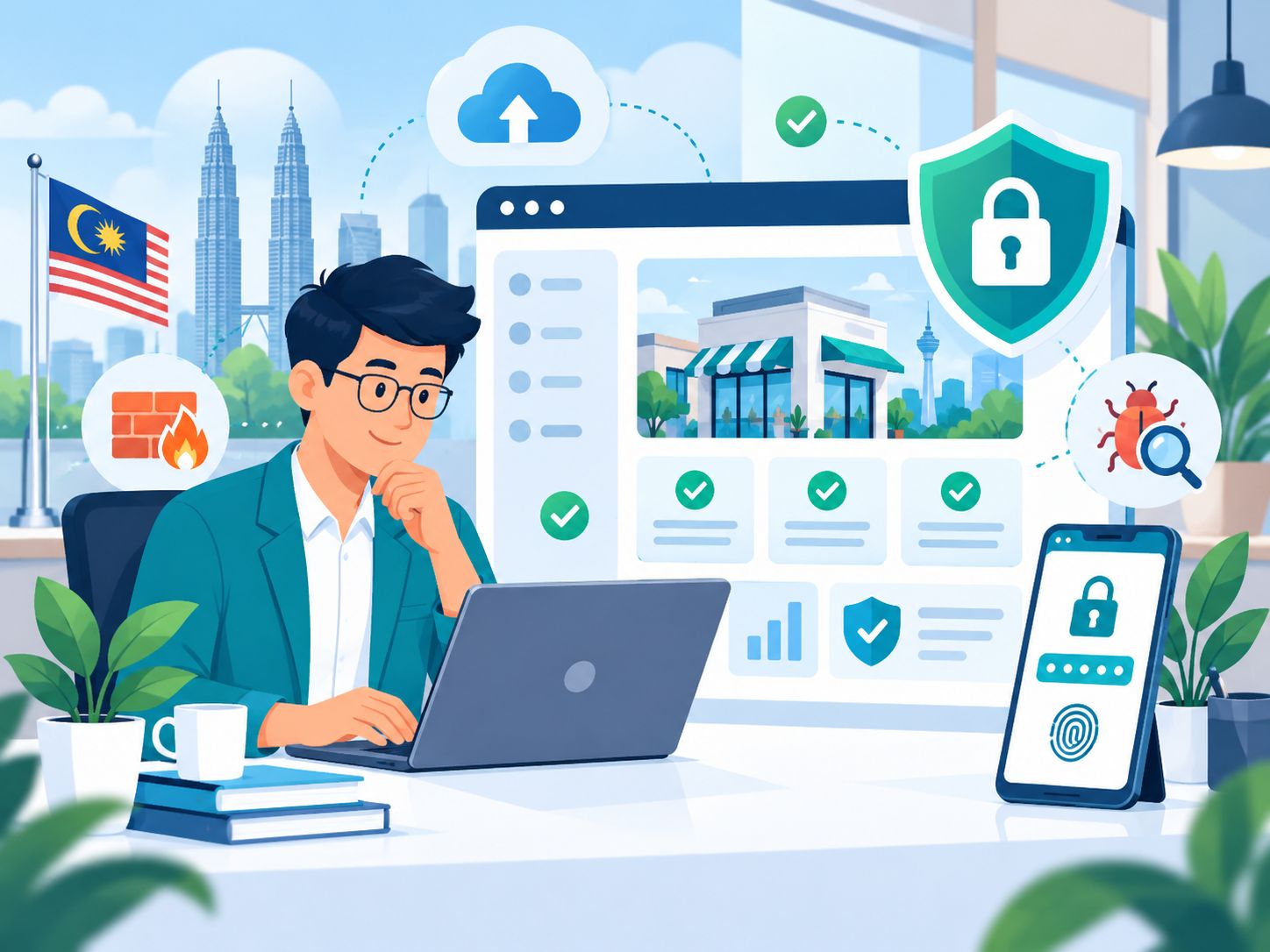
Quick answer: website security is not one plugin, one SSL certificate or one setting that you install once and forget about. Website security involves multiple layers, including account access, passwords and multi-factor authentication, software updates, hosting, HTTPS, backups, secure configuration, malware monitoring, third-party integrations, forms, databases, logging and recovery planning.
As a Malaysian small or medium business owner, you do not necessarily need to understand every technical detail like a cybersecurity engineer.
However, you should be able to answer some basic questions:
- Who has administrator access to the website?
- Are passwords shared between several people?
- Is multi-factor authentication enabled where available?
- Are the CMS, plugins, themes or software still supported and updated?
- Is HTTPS working correctly?
- Are backups being created and can they actually be restored?
- Is there any monitoring or security-alert process?
- Who should be contacted if the website is hacked?
- Does the business have access to the domain, DNS, hosting and website administration?
This website security Malaysia guide provides a practical checklist to help business owners understand what should be reviewed, which risks deserve attention and when technical specialists may need to be involved.
Important: no website can realistically be guaranteed to be 100% protected from every possible attack. The purpose of website security is to reduce risk, control access, improve the chances of detecting problems earlier and make sure the business has a recovery process if an incident occurs.
Website Security and Website Maintenance Are Not the Same Thing
The two are closely connected, but they have different primary purposes.
| Website Maintenance | Website Security |
|---|---|
| Helps keep the website working properly | Helps reduce the risk of unauthorised access or changes |
| Checks forms, links, content and performance | Protects accounts, software, hosting and data |
| Software and dependency updates | Reduces exposure to known vulnerabilities |
| Backups and recovery | Helps reduce the impact of a compromise |
| Technical support and bug fixing | Security monitoring, access control and incident response |
Security is an important part of overall website maintenance.
This checklist, however, focuses specifically on:
- who can access the system,
- how users authenticate,
- which software and services have access,
- how the website could potentially be exploited,
- how suspicious activity can be detected, and
- how the website can be recovered after an incident.
Why Do Small Business Websites Need Security?
A common assumption is:
“My business is small. Hackers will not target my website.”
The problem is that not every attack begins with someone manually choosing your business.
Many attack attempts can be automated, with systems scanning for:
- websites using outdated software,
- plugins with known vulnerabilities,
- weak administrator logins,
- default accounts,
- security misconfiguration,
- exposed files,
- poorly protected forms, or
- servers and applications that have not been patched.
MyCERT, the Malaysia Computer Emergency Response Team under CyberSecurity Malaysia, regularly highlights the importance of security patches and software updates because vulnerable and outdated systems can create opportunities for cyber attacks.
For current cybersecurity alerts and information in Malaysia, refer to MyCERT.
What Can Happen If a Website Is Compromised?
A website security incident does not always mean someone replaces your homepage.
Depending on the nature of the compromise, a website may experience:
- malicious code injection,
- spam pages created without the owner's knowledge,
- redirects to other websites,
- phishing pages,
- malware distribution,
- unauthorised administrator access,
- website defacement,
- data modification,
- data exposure,
- website downtime,
- modified forms,
- payment or checkout manipulation, or
- unknown users or permissions being added.
Google may also detect certain security problems through Search Console and show warnings for hacked pages, malware or deceptive content.
If your website already uses Google Search Console, check the Security Issues section whenever you receive a warning or notice suspicious behaviour.
Website Security Checklist Malaysia: 25 Important Checks
Use the following checklist as a practical baseline for a business website.
1. Make Sure the Website Uses HTTPS
A modern business website should use HTTPS.
HTTPS helps encrypt information travelling between the visitor's browser and the website server.
Check that:
- the website uses https://,
- the SSL certificate is valid,
- HTTP redirects correctly to HTTPS,
- important pages are not still loading insecure HTTP resources, and
- the browser does not show certificate warnings.
However, it is important to understand:
SSL does not mean the entire website is secure.
A website can still be compromised through weak passwords, vulnerable software, insecure plugins, stolen credentials, application vulnerabilities or poor configuration.
HTTPS is an important security baseline, not the complete security strategy.
2. Use Strong, Unique Passwords
Avoid using the same password for:
- website administration,
- hosting,
- domain registrar,
- business email,
- database access,
- Cloudflare or DNS provider,
- GitHub or another code repository, and
- Google accounts.
If one account is compromised and the same password is reused elsewhere, an attacker may have more opportunities to access additional business systems.
Consider using a reputable password manager if the business has too many credentials to manage manually.
3. Enable Multi-Factor Authentication
Multi-factor authentication, or MFA, adds another verification step in addition to a password.
Where the platform supports it, consider enabling MFA for important accounts such as:
- domain registrar,
- hosting,
- CMS or admin panel,
- cloud platform,
- code repository,
- Google account,
- business email, and
- payment-related systems.
Passwords are still important, but MFA can reduce risk when a password becomes known to someone else.
4. Do Not Share One Administrator Login with Everyone
Older websites sometimes have only one account:
admin@company.com
with the same password shared between the owner, employees, agency, freelancer and developer.
This makes it difficult to know:
- who made a change,
- who still knows the password,
- whose access should be removed, and
- whether old credentials are still circulating.
Where the platform allows it, give each person an individual account.
If someone stops working with the business, their account can then be removed without affecting everyone else's access.
5. Apply the Principle of Least Privilege
Not everyone needs administrator access.
For example:
- a content writer may only need permission to edit articles,
- a marketing team may need access only to selected pages,
- a finance team may need access only to payment reports,
- a developer may require technical access only for a limited period.
Give people only the permissions required for their role.
Do not grant full administrator privileges simply because it is easier.
Broken Access Control is one of the major risks highlighted in the OWASP Top 10:2025.
Technical teams can refer to OWASP Top 10:2025 as an awareness reference for common web-application security risks.
6. Remove Accounts That Are No Longer Needed
Review the user list regularly.
Look for accounts belonging to:
- former employees,
- previous agencies,
- old freelancers,
- temporary developers,
- test users,
- vendors that are no longer used, or
- unknown accounts.
If an account is no longer required, remove or disable it according to the platform and business requirements.
The same review should also be performed for domain, hosting, DNS, repositories, analytics and other connected services — not only the CMS.
7. Make Sure the CMS and Software Are Still Supported
If your website uses a CMS, framework or application platform, make sure the version is still within a supported lifecycle.
Very old software can become a problem when:
- security patches are no longer released,
- the hosting environment is no longer compatible,
- old dependencies contain known vulnerabilities,
- the original developer no longer supports the system, or
- updates become difficult because too many versions have been skipped.
This does not mean every update must be installed immediately on the day it is released.
Updates should be planned according to risk, compatibility and rollback requirements.
8. Review Plugins, Themes, Libraries and Dependencies
Modern websites are rarely built from one component.
A website may use:
- WordPress plugins,
- WordPress themes,
- JavaScript packages,
- server packages,
- API SDKs,
- third-party libraries,
- payment modules, or
- other extensions.
Every dependency adds functionality, but it also adds something that must be maintained.
Check:
- whether the component is still required,
- whether it is still actively maintained,
- whether security updates are available,
- whether the installed version is very old, and
- whether the component came from a trustworthy source.
Remove unnecessary plugins or dependencies when it is safe to do so.
9. Avoid Nulled, Cracked or Pirated Plugins and Themes
For CMS platforms such as WordPress, avoid using nulled, cracked or pirated plugins and themes.
In addition to licensing and support concerns, there may be no reliable way to confirm that the package has not been modified with malicious code.
Use:
- official marketplaces,
- official developer websites, or
- providers that can be verified.
Do not install software simply because someone sends you a ZIP file through WhatsApp or email.
10. Update Safely, Not Blindly
Security updates are important, but the production website also needs to remain stable.
For higher-risk updates, a safer process may be:
- Make sure a current backup exists.
- Review what is changing.
- Check compatibility.
- Use a staging or test environment where appropriate.
- Perform the update.
- Test critical pages and functionality.
- Monitor errors after deployment.
- Have a rollback option where necessary.
The goal is not simply to have the “latest” software.
The goal is to use supported, patched and stable software.
11. Back Up the Website Properly
Backups are an important part of security and recovery.
If the website is compromised or data becomes corrupted, a suitable backup can help restore the website to a trusted earlier state.
Check whether the backup includes:
- website files,
- database,
- uploaded media,
- configuration,
- required environment information, and
- other critical data depending on the system.
For websites receiving orders, bookings, memberships or other frequently changing data, the backup strategy should match the rate at which the data changes.
12. Do Not Keep the Only Backup on the Same Server
Imagine that both the website and its only backup are stored in the same hosting account.
If that account experiences a serious problem, both the website and backup could potentially become unavailable at the same time.
For important websites, consider backups that:
- are stored separately,
- do not depend on only one access point,
- have appropriate retention, and
- can be accessed by the responsible person during recovery.
The exact backup architecture depends on the hosting platform, website type and risk level.
13. Test the Restore Process
Having a backup file does not automatically mean recovery will work.
The business should know:
- who can access the backups,
- how restoration is performed,
- what is actually included in the backup,
- approximately how long recovery may take, and
- who has authority to approve a restore.
For a business-critical website, the recovery process is just as important as the backup schedule.
14. Maintain the Hosting and Server Environment
Website security does not stop at the website application.
The hosting or server environment also matters.
Depending on your setup, review:
- server or runtime updates,
- hosting-account security,
- control-panel access,
- SSH or other technical access,
- backup configuration,
- SSL renewal,
- logging,
- resource monitoring, and
- provider security notifications.
If you use managed hosting, understand which responsibilities are handled by the hosting provider and which still belong to your business or developer.
15. Review Domain and DNS Security
If someone gains access to your domain or DNS configuration, the problem can be more serious than a compromised website-admin account.
DNS can affect:
- website traffic,
- business email,
- subdomains,
- verification records,
- third-party services, and
- CDN or security services.
For your domain account:
- use a unique password,
- enable MFA where available,
- make sure the recovery email is still active,
- review who has access,
- check renewal information, and
- avoid sharing registrar credentials through public chat groups.
16. Use a Firewall or WAF Where Appropriate
A Web Application Firewall, or WAF, can provide an additional security layer by filtering some malicious traffic or suspicious requests before they reach the application.
However:
A WAF is not a replacement for software updates, secure access, safe coding, backups or monitoring.
It is one control within a layered security approach.
Whether your website needs a WAF and which configuration is appropriate depends on:
- website architecture,
- hosting,
- traffic,
- business risk,
- application type, and
- existing security controls.
17. Use Malware Scanning and Security Monitoring Where Appropriate
Security monitoring can help detect issues such as:
- unexpected file changes,
- malware,
- suspicious login attempts,
- unusual administrator activity,
- unexpected new pages,
- modified scripts, or
- security warnings from the hosting platform.
Do not assume that one security scanner can detect every type of compromise.
Monitoring should work together with:
- access control,
- updates,
- backups,
- logging,
- manual investigation where needed, and
- an incident-response process.
18. Protect Forms from Spam and Abuse
Contact forms, quotation forms, registration forms and login forms can all be targeted by automated abuse.
Appropriate protection may include:
- server-side validation,
- rate limiting,
- CAPTCHA or anti-bot tools where necessary,
- spam filtering,
- input validation,
- secure email delivery, and
- monitoring unusual submission patterns.
Do not rely only on validation performed inside the user's browser.
For custom applications, developers should also ensure user input is handled safely before it reaches the application or database.
19. Review Third-Party Scripts and Integrations
Your website may use:
- Google Analytics,
- Meta Pixel,
- Google Maps,
- payment gateways,
- booking platforms,
- CRM systems,
- WhatsApp widgets,
- live chat,
- email marketing tools,
- social embeds, or
- other external scripts.
Every integration should have a business reason.
Periodically ask:
- Is this integration still being used?
- Who has access to the account?
- Is the token or API key still required?
- Is the billing account still active?
- Is the provider still trusted?
- What data is being sent to the service?
Remove integrations that are no longer required where it is safe to do so.
20. Do Not Put Secret API Keys or Credentials in Frontend Code
For custom websites and web applications, developers need to distinguish between:
- public configuration, and
- sensitive secret credentials.
Secret values such as certain API keys, private tokens, database credentials or service-account credentials should not be exposed through browser code when the provider expects those values to remain private.
Use environment configuration and server-side handling according to the requirements of the platform.
If you are unsure whether a key is public or secret, check the provider's official documentation.
21. Review File and Folder Permissions
File permissions control who can read, write or execute resources on a server or hosting environment.
Permissions that are too open can increase risk.
Permissions that are too restrictive can cause the website to stop working.
Do not change permissions based on a random tutorial without understanding:
- the hosting environment,
- application requirements,
- web-server user, and
- deployment process.
For managed hosting, follow the provider's documentation or ask an appropriate technical specialist.
22. Review Security Headers and Browser-Side Protection
Modern websites can use HTTP security headers to instruct browsers how certain content and behaviour should be handled.
Depending on the architecture, these may include:
- Content Security Policy,
- Strict-Transport-Security,
- frame-related protections,
- content-type protections,
- referrer policy, and
- permissions policy.
Do not copy security-header configurations from another website blindly.
Incorrect settings can break scripts, embeds, payment functionality or other third-party integrations.
The configuration should be tested against the actual website architecture.
23. Handle Cookies and Sessions Securely
If the website includes:
- user logins,
- customer portals,
- administrator dashboards,
- e-commerce, or
- other authenticated functionality,
session management becomes more important.
The technical team should consider areas such as:
- secure cookies,
- session expiry,
- logout behaviour,
- authentication state,
- role permissions, and
- protection against session misuse.
A business owner does not need to configure these items personally, but should make sure someone is responsible for application security when a custom system is involved.
24. Monitor Logs and Alerts
Security is not only about trying to prevent every attack.
You also need a way to notice when something unusual happens.
Depending on the platform, useful information may come from:
- hosting logs,
- application logs,
- login logs,
- deployment logs,
- server alerts,
- security-service alerts,
- payment alerts, and
- Google Search Console.
An alert that nobody receives is not very useful.
Make sure:
- someone receives the notifications,
- the contact email is still active, and
- the team understands which alerts require urgent action.
25. Use Google Search Console as Part of Security Monitoring
Google Search Console is not a complete website-security scanner.
However, it includes a Security Issues report that can notify website owners when Google detects certain problems such as hacked content or harmful behaviour.
Make sure:
- the business has a verified Search Console property,
- only authorised users have access,
- unknown owners are not listed,
- important notifications are not ignored, and
- Security Issues are reviewed when Google reports a problem.
Google provides website security and hacked-site guidance through Google Search Central.
Website Security Checklist by Website Type
Not every website has the same attack surface.
Corporate / Brochure Website
Main areas normally include:
- domain and DNS access,
- hosting,
- HTTPS,
- forms,
- CMS or deployment access,
- software dependencies,
- backups,
- monitoring, and
- user access.
WordPress Website
In addition to the fundamentals above, pay particular attention to:
- WordPress core,
- plugins,
- themes,
- administrator accounts,
- plugin sources,
- unused plugins,
- server and PHP compatibility,
- backups, and
- update testing.
Static Website
A static website may not have a CMS login or WordPress plugins.
However, it still has security considerations such as:
- domain,
- DNS,
- hosting or deployment accounts,
- Git repositories,
- build dependencies,
- forms,
- third-party APIs,
- environment variables,
- SSL, and
- access control.
The statement “a static website cannot have security problems” is too broad.
Custom Web Application
A custom application usually requires deeper security consideration because it may include:
- authentication,
- user roles,
- databases,
- file uploads,
- APIs,
- business logic,
- customer data,
- integrations, and
- administrator functionality.
For this type of system, the development team should consider secure design, access control, input handling, logging, dependency management and application-security testing appropriate to the risk level.
E-Commerce Website
E-commerce websites require additional attention because they may handle:
- customer accounts,
- orders,
- addresses,
- payment flows,
- inventory,
- transactional email, and
- third-party payment integrations.
Use payment gateways and integrations according to the provider's official documentation and security requirements.
A business should not store sensitive payment information itself unless it has the appropriate technical and compliance requirements in place.
Website Security Checklist for Business Owners
If you are not a technical person, begin with this checklist.
Accounts & Access
- ☐ I know who has website administrator access
- ☐ Former employees or providers do not have unnecessary access
- ☐ Important passwords are not shared among many people
- ☐ Important passwords are unique
- ☐ MFA is enabled on important accounts where available
- ☐ The business can access the domain and hosting accounts
Software
- ☐ The CMS is still supported
- ☐ Plugins and themes are still maintained
- ☐ Important dependencies are updated where necessary
- ☐ Unused plugins and software are reviewed
- ☐ No nulled or cracked plugins/themes are being used
Infrastructure
- ☐ HTTPS is working
- ☐ SSL certificate is valid
- ☐ Hosting uses secure access
- ☐ DNS access is controlled
- ☐ Important security alerts go to the correct contact
Backup & Recovery
- ☐ Backups are being created
- ☐ Database backups exist where relevant
- ☐ The business does not depend on only one backup copy
- ☐ I know who can restore the website
- ☐ The restore process has been reviewed or tested
Monitoring
- ☐ Google Search Console is configured
- ☐ Security notifications do not go to an old email account
- ☐ Website uptime is monitored where important
- ☐ Suspicious activity can be investigated
Forms & Integrations
- ☐ Contact forms have suitable spam or abuse protection
- ☐ Third-party integrations are reviewed
- ☐ Old API keys or tokens are removed when no longer needed
- ☐ Unknown scripts are not installed on the website
10 Signs Your Website May Have a Security Problem
A security issue does not always appear as a visibly broken homepage.
Warning signs worth investigating include:
- The website suddenly redirects to another domain.
- Google Search Console reports a Security Issues warning.
- The browser shows a malware or deceptive-site warning.
- Pages appear that you never created.
- Google search results display strange titles or keywords.
- New administrator accounts appear without your knowledge.
- Website files change without a known deployment.
- Traffic or server-resource usage increases unexpectedly.
- Customers report being redirected somewhere else.
- Your hosting or security provider reports malware or intrusion activity.
One unusual sign does not automatically prove the website has been hacked.
However, unexpected changes should be investigated.
What Should You Do If You Suspect Your Website Has Been Hacked?
If you suspect a compromise, avoid making random changes without understanding what happened.
The correct response depends on the website architecture and incident.
In general:
- Document what happened. Save screenshots, URLs, alerts, timestamps and other relevant information.
- Contact your technical provider or a security professional. Especially if you do not understand the server or application environment.
- Protect access. Review potentially compromised credentials and important accounts from a trusted device.
- Do not simply delete one malicious file. The root cause must be identified so an attacker cannot return through the same vulnerability or backdoor.
- Review backups. Identify a trusted recovery point if restoration becomes necessary.
- Patch the root cause. Update vulnerable software or correct insecure configuration before returning the website fully to service.
- Review users, tokens and integrations. Remove unknown or unnecessary access.
- Check Google Search Console. If Google reported a security problem, follow the appropriate review process after the website has genuinely been cleaned.
- Monitor after recovery. Make sure suspicious activity does not return.
If the incident involves phishing, malware, intrusion or another cyber incident requiring escalation in Malaysia, Cyber999 provides a channel for reporting and receiving guidance through MyCERT.
Do Not Restore a Backup Without Understanding the Cause
Restoring an older backup may remove malicious changes from the live website.
However, if the vulnerability that allowed the compromise still exists, the website may simply be compromised again.
For example:
Restore → vulnerable plugin still exists → attacker exploits it again.
Proper recovery normally needs to address two things:
- restore the website to a trusted state, and
- close or correct the cause of the compromise.
Is SSL Enough for Website Security?
No.
SSL/TLS helps protect communication between the visitor's browser and the server.
It does not prevent:
- weak passwords,
- stolen credentials,
- outdated plugins,
- malicious administrators,
- server misconfiguration,
- insecure custom code, or
- malware already present on the website.
HTTPS remains important, but it is only one security layer.
Is a Firewall Enough?
No.
A firewall or WAF can help filter certain types of traffic.
However, a website still needs:
- secure accounts,
- updates,
- patching,
- backups,
- monitoring,
- secure development practices, and
- incident response.
Good website security uses multiple layers rather than relying on one product.
Is Antivirus Enough for a Website?
Website security is different from installing antivirus software on a laptop.
Depending on the platform, security may involve:
- malware scanning,
- file-integrity monitoring,
- server protection,
- WAF,
- access management,
- application security,
- dependency management, and
- backups.
No single tool replaces all of those controls.
Website Security for WordPress
WordPress security should be treated as an ongoing process, not as installing one security plugin.
Review:
- WordPress core,
- plugins,
- themes,
- administrator users,
- hosting and PHP compatibility,
- backups,
- plugin sources,
- unused components,
- login protection,
- monitoring, and
- the recovery process.
A security plugin can be one layer, but it does not replace maintenance and access control.
Website Security for Non-WordPress Websites
A website that does not use WordPress still requires security.
For static sites or modern framework websites, security may focus more on:
- deployment accounts,
- code repositories,
- dependencies,
- hosting platforms,
- DNS,
- environment variables,
- forms,
- APIs,
- serverless functions,
- authentication where relevant, and
- third-party services.
Different technology stacks have different maintenance and security models.
When Can a Business Owner Handle Security Tasks Personally?
For a smaller website, a business owner may be able to manage some basic checks such as:
- confirming that the website is online,
- changing passwords when necessary,
- enabling MFA,
- reviewing user accounts,
- checking Search Console alerts,
- confirming domain renewal details, and
- checking that backups exist.
However, technical help should normally be considered for matters such as:
- malware cleanup,
- server compromise,
- database intrusion,
- custom application vulnerabilities,
- complex security-header configuration,
- WAF configuration,
- source-code security,
- incident forensics,
- data breaches, or
- business-critical systems with an unknown compromise.
Website Security Should Match the Level of Risk
Not every website requires the same security controls.
| Website Type | Risk Considerations |
|---|---|
| Simple corporate website | Public content, enquiries, domain, hosting, access and reputation |
| WordPress website | Core, plugins, themes, users, hosting and updates |
| E-commerce | Orders, customer data, payments, accounts and integrations |
| Booking system | Customer information, availability data, notifications and integrations |
| Customer portal | Authentication, private information, permissions and sessions |
| Custom application | Business logic, database, APIs, access control and code security |
The more sensitive the information and the more important the website is to business operations, the stronger the security process needs to be.
Website Security and SEO
Website security is not a shortcut to better rankings.
Adding a firewall or enabling MFA does not automatically cause Google to rank the website higher.
However, a security incident can affect search visibility when:
- hacked pages are created,
- the website redirects to malicious destinations,
- the server becomes unstable,
- content is changed without permission,
- Google detects hacked content, or
- browsers show security warnings to visitors.
Google explains that the Security Issues report can show certain hacked pages or security threats detected on a website.
Website security should therefore be considered part of overall website health — not an SEO tactic.
Website Security and Business Continuity
A useful security question is not only:
“Can we prevent the website from ever being hacked?”
A more complete question is:
“If something happens, how effectively can we detect it, contain it and recover?”
Business continuity may require:
- a known system owner,
- a known technical contact,
- current credentials,
- working backups,
- recovery instructions,
- domain and DNS access,
- a communication plan, and
- an understanding of critical business functions.
A website may technically have backups, but if nobody knows how to access the backup account, the business still has a recovery problem.
Who Should Be Responsible for Website Security?
Responsibility may be shared between several parties.
| Area | Possible Owner |
|---|---|
| Domain | Business owner / administrator |
| DNS | Technical provider / authorised administrator |
| Hosting | Hosting provider / technical team |
| CMS updates | Developer / maintenance provider |
| User accounts | Business owner / administrator |
| Backups | Technical provider / hosting / internal team |
| Security monitoring | Provider / technical or security team |
| Incident response | Technical/security specialist + business owner |
The most important thing is that responsibility is clear.
Do not simply assume:
“The hosting company must be taking care of everything.”
or:
“The developer must have a backup.”
Confirm the actual scope and ownership.
Questions to Ask Your Web Developer or Maintenance Provider
Before handing over responsibility for your website, consider asking:
- Who manages the domain?
- Who manages the hosting?
- Who receives security alerts?
- How often are backups created?
- Where are backups stored?
- Has the restore process ever been tested?
- Who performs software updates?
- What happens if an update breaks the website?
- Are user permissions reviewed?
- Who should be contacted if the website is suspected to be compromised?
- Is malware cleanup included in the maintenance scope or treated separately?
- Is monitoring included?
- What type of technical support is included?
- What is specifically excluded?
Do not assume that the phrase “website maintenance” automatically includes every possible security service.
Different providers can have different scopes.
Website Security Red Flags for Business Owners
You should pay attention if:
- nobody knows where the domain is registered,
- the entire team shares one administrator password,
- a former developer still has access,
- the website has no known backup,
- software has not been updated for years,
- nobody knows where a plugin came from,
- security alerts go to an email address that is no longer used,
- SSL certificates frequently expire,
- the website was previously hacked but the root cause was never identified,
- an administrator uses the same password for website and email,
- API keys or credentials are stored in public documents, or
- nobody is responsible for ongoing maintenance.
Does Your Website Need a Security Audit?
It depends on the website and its risk level.
For a simple brochure website, a basic security review may be sufficient.
For systems containing:
- customer logins,
- sensitive information,
- e-commerce,
- financial transactions,
- large databases,
- custom APIs,
- multiple user roles, or
- high business impact if the system becomes unavailable,
a more formal security assessment may be appropriate.
Penetration testing, vulnerability assessments and specialised application-security reviews are security services and should not automatically be assumed to be included in standard website maintenance.
How Can Nibong Web Studio Help?
Nibong Web Studio provides website maintenance and support according to the agreed service scope.
For a business website, ongoing care may involve areas such as:
- domain and hosting,
- SSL,
- backups,
- technical updates,
- website health,
- small website updates, and
- technical support depending on the selected package.
Different websites have different requirements.
A simple corporate website does not have the same risk profile as a WordPress website with many plugins, an e-commerce store or a custom application with user accounts and a database.
If you are unsure who currently manages your backups, hosting, domain, software updates, user access or overall website health, you can first explain your current setup to Nibong Web Studio so the appropriate maintenance requirement can be understood.
If the website has experienced a serious compromise, data breach or security incident requiring specialist incident response, an appropriate cybersecurity professional may need to be involved depending on the severity of the incident.
Frequently Asked Questions About Website Security in Malaysia
What is website security?
Website security is the combination of processes and controls used to reduce the risk of unauthorised access, malware, vulnerable software, data exposure, malicious changes and other threats affecting a website and its supporting systems.
Does every website need security?
Yes, but the required security level varies. A simple corporate website has a different risk profile from an e-commerce store, customer portal or custom web application.
Does SSL mean my website is secure?
No. SSL/TLS helps encrypt communication between visitors and the server. It does not protect against every issue such as weak passwords, compromised administrator accounts, vulnerable software or malicious code.
Is HTTPS important?
Yes. A modern business website should use HTTPS with a valid certificate. However, HTTPS should be treated as one part of a broader security approach.
Is WordPress secure?
WordPress can be operated securely when core software, plugins, themes, user accounts, hosting, backups and configuration are maintained properly. Risk increases when software becomes outdated, untrusted plugins are installed or access is poorly controlled.
Is a static website safer than WordPress?
A static website can have a different attack surface because it may not have a CMS or plugins. However, the domain, DNS, hosting, deployment accounts, code repository, forms, APIs, dependencies and third-party services still require protection.
How often should website software be updated?
There is no single schedule suitable for every platform. Important security updates should be evaluated promptly, while production updates should also consider compatibility, backups and testing.
Should I use MFA?
If the platform supports it, MFA is strongly recommended for important administrative accounts such as domain, hosting, email, CMS, cloud platforms and code repositories.
Are backups part of website security?
Yes. Backups do not prevent attacks, but they are extremely important for recovery after data loss, corruption or website compromise.
Is one backup enough?
For an important website, depending on one backup copy can increase risk. A backup strategy should consider storage location, retention, frequency and recovery requirements.
Is a security plugin enough for WordPress?
No. A security plugin can provide one layer, but WordPress still needs updates, secure accounts, backups, hosting security, access management and monitoring.
Do I need a WAF?
It depends on your website architecture and risk level. A WAF can provide a useful additional layer, but it does not replace secure development, patching, passwords, MFA, backups or monitoring.
How do I know if my website has been hacked?
Possible signs include unexpected redirects, unknown pages, strange search results, new administrator accounts, modified files, browser security warnings or Search Console Security Issues. Some compromises require technical investigation to detect.
What should I do if Google says my website may be hacked?
Review the Security Issues section in Google Search Console, investigate the scope of the problem, remove malicious content, fix the underlying security issue and follow Google's review process after the website has genuinely been cleaned.
Can a hacked website affect SEO?
A security incident can affect search visibility or user traffic when hacked pages, malware, redirects, downtime or security warnings are involved. Security is not an SEO ranking tactic, but maintaining a healthy website is important for users and search engines.
Is website security the same as website maintenance?
Not completely. Security is one component of overall website maintenance. Maintenance can also include forms, content, speed, SEO health, broken links, hosting and general technical support.
Does a small business need a cybersecurity company?
It depends on the website and risk level. A basic business website may be adequately supported by competent hosting, development and maintenance providers. Complex applications, sensitive information or serious security incidents may require specialised cybersecurity expertise.
What are the first things I should check today?
Start with five areas: who has administrator access, whether MFA is enabled, whether the software is still supported, whether a recent backup exists and whether you know who to contact if the website experiences a security problem.
Conclusion
Website security for Malaysian businesses does not need to begin with the most expensive security product or the most complicated technical setup.
It should begin with strong fundamentals:
- control access,
- use unique passwords,
- enable MFA,
- remove old user accounts,
- keep software supported,
- patch vulnerabilities,
- use trusted plugins and dependencies,
- make sure HTTPS works,
- protect hosting and DNS access,
- create backups,
- test recovery,
- monitor security alerts,
- review third-party integrations,
- protect website forms,
- monitor Google Search Console, and
- know what to do when an incident occurs.
A secure website is not one that can be guaranteed never to face an attack.
A better-managed website is one with layered protection, clear ownership, controlled access, current software, useful monitoring and a recovery plan.
For an SME owner, one of the most practical objectives is to avoid reaching a situation like:
“My website is broken or hacked, but I do not know who has the login details, I do not know when the last backup was created and I do not know who to contact.”
If you already have a business website but are unsure about backups, SSL, hosting, software updates, user access or ongoing technical maintenance, review those areas before a problem occurs.
And if you detect malware, phishing, a data breach or another serious security incident, involve the appropriate technical or cybersecurity specialist and use official channels such as MyCERT/Cyber999 where escalation is required.
Ready to build your website?
Tell us about your business and we will recommend the right package.